Tasks & Calendar for interior designers
See what needs doing. Know when it’s due.
Sign up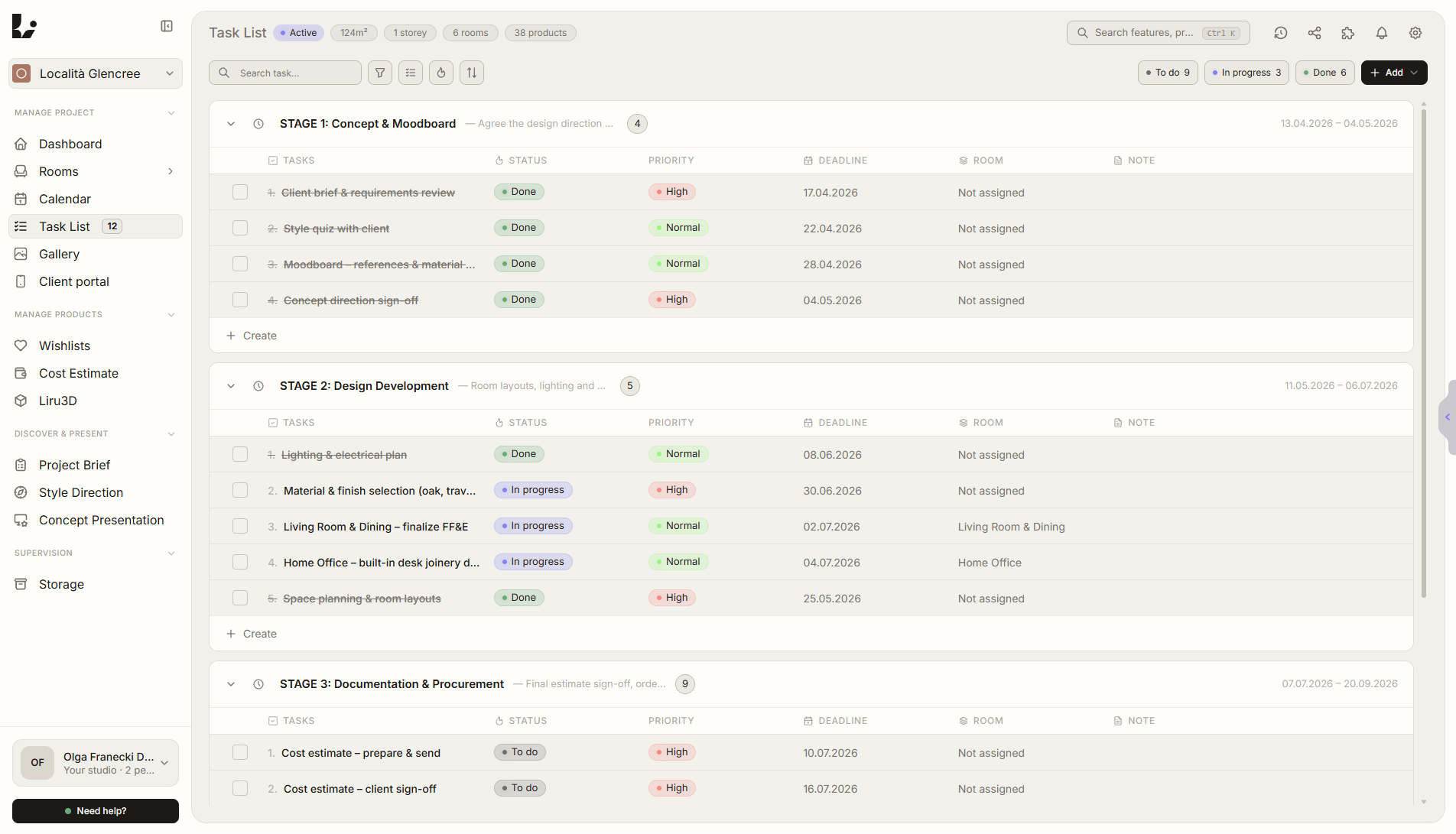
Feature overview
Where this fits in the project
A Kanban board, calendar, and stage system built for how designers actually manage projects – not how software companies think they should. Drag tasks between columns, group them into stages, and let the system create tasks for you from client responses.
Tasks & Calendar connects brief findings, client decisions, and execution dates. The designer sees what needs doing, what waits for the client, and what blocks the next stage.
What it gives you in practice
How it works step by step
Tasks are created manually or from client responses, then move into the board and calendar while stages keep the project rhythm clear.
Create tasks or let AI generate them
Add manually or let brief responses create tasks for you.
Organize on the Kanban board
Drag between columns, filter by room, priority, or stage.
Group into stages
Define project phases with goals and timelines.
Track on the calendar
See deadlines, meetings, and milestones at a glance.
Related features
These modules usually work together when you run a real project from brief to approval.