Client portal
for interior designers
One link instead of PDFs, emails and lost decisions
Fewer client back-and-forths. More decisions that move the project forward. Liru keeps proposals, approvals, budgets and next steps in one client portal.
Try it on your project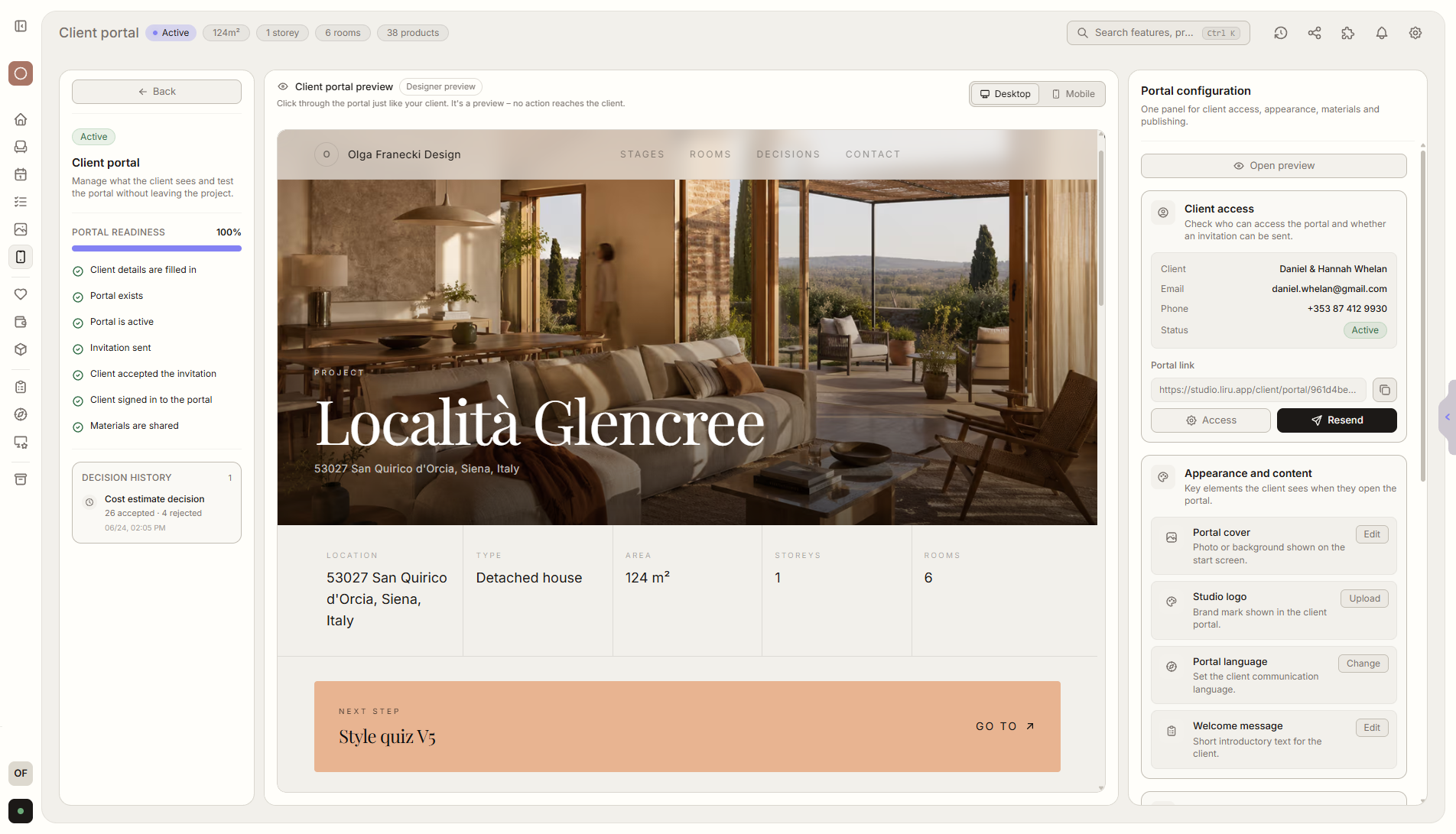
From presentation to delivery without rewriting agreements
You prepare the project
Add rooms, products, inspiration, options, prices and materials.
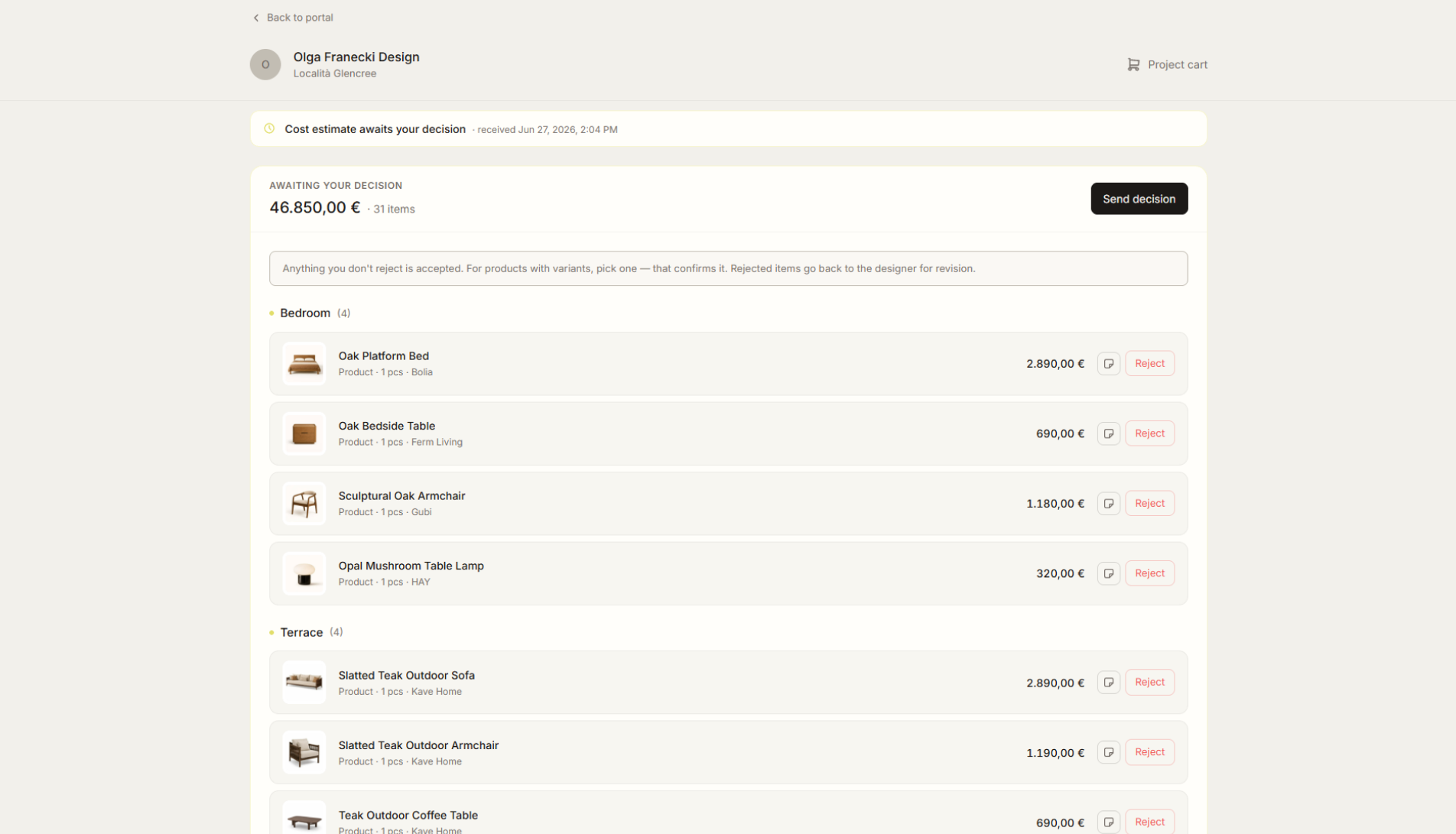
You share the portal with the client
Liru creates a secure link. The client can enter the project without creating an account.
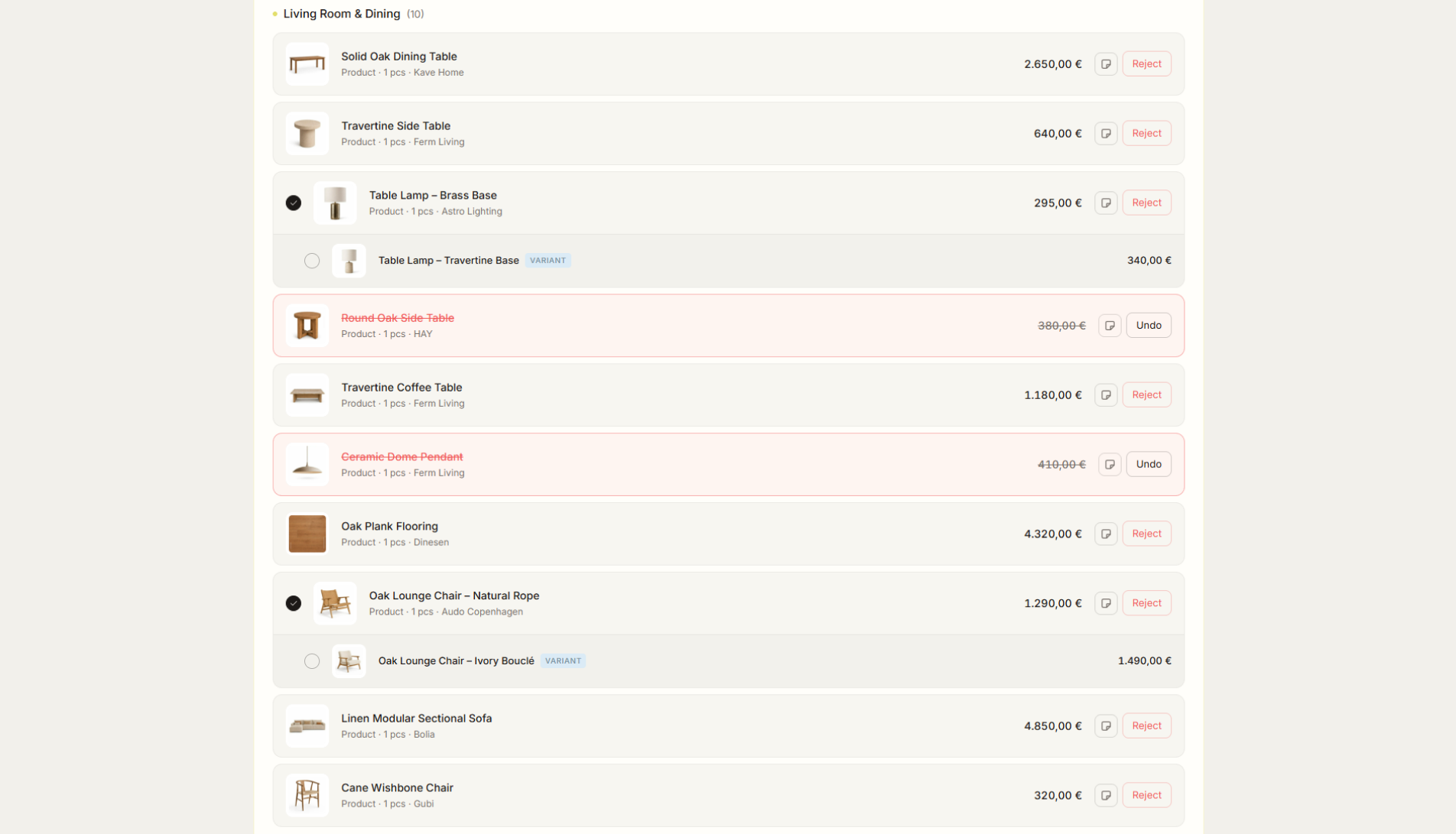
The client makes decisions
They view the project, comment on specific elements, choose options and approve products.
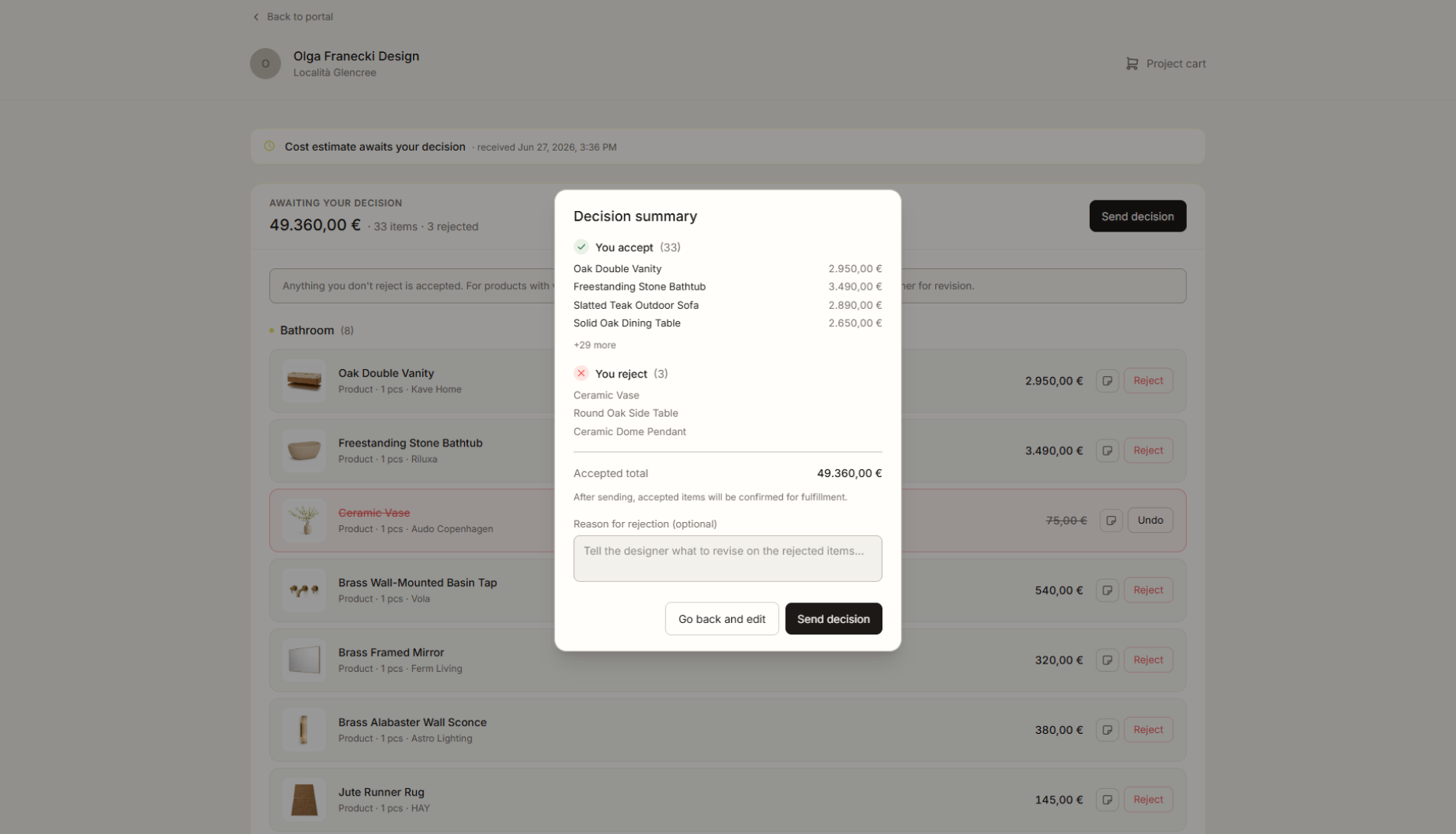
Liru organizes the next steps
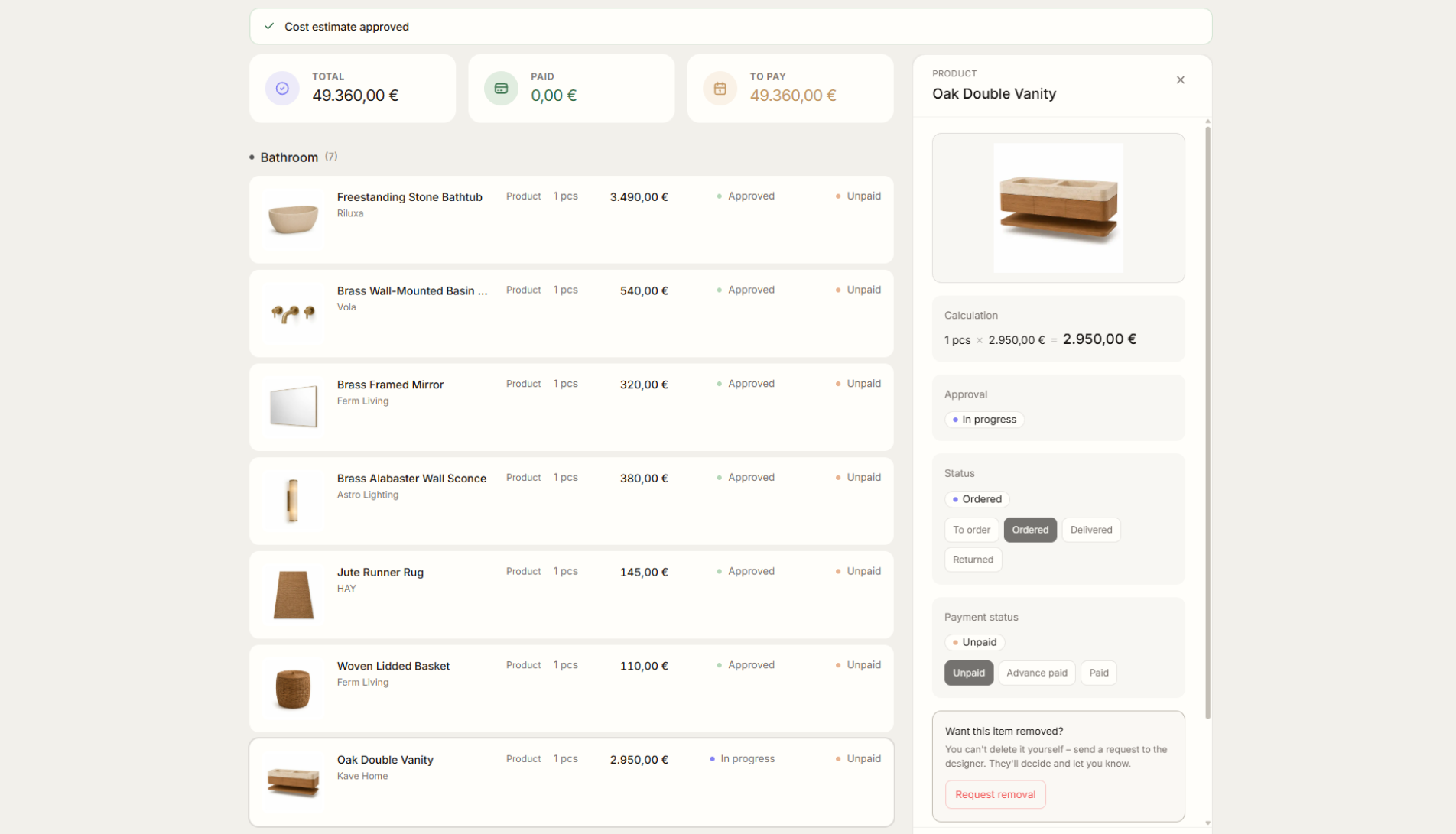
Approved elements can move into the cost estimate, shopping list, orders and delivery.
For designers who want to guide clients more professionally
Liru is especially useful when you run several projects at once and want decisions, products, budget and client materials in one structured process.
Liru is for you if:
- client decisions come back through email, WhatsApp or comments on a PDF,
- products, inspiration and cost estimates live in several separate places,
- you often check what the client has already approved,
- you manually update the cost estimate after changes,
- you want the client experience to look more professional.
Work on the current project instead of searching for agreements
| Area | Traditional | In Liru |
|---|---|---|
| Presentation | PDFs, links, separate files | One client portal |
| Decisions | Emails, WhatsApp, comments | Approvals on project elements |
| Products | Links, screenshots, attachments | Products saved in the project |
| Budget | Manually updated Excel | Cost estimate tied to the client's choices |
| Client files | Email attachments | Materials tied to the project |
| Delivery | Manually rewriting agreements | A list based on approved elements |
Presentation
Traditional
PDFs, links, separate files
In Liru
One client portal
Decisions
Traditional
Emails, WhatsApp, comments
In Liru
Approvals on project elements
Products
Traditional
Links, screenshots, attachments
In Liru
Products saved in the project
Budget
Traditional
Manually updated Excel
In Liru
Cost estimate tied to the client's choices
Client files
Traditional
Email attachments
In Liru
Materials tied to the project
Delivery
Traditional
Manually rewriting agreements
In Liru
A list based on approved elements
FAQ
Design the client experience. Not just the space.
Instead of sending another PDF, link or spreadsheet, give your client one place to view the project, make decisions and track the budget.
Try it on your projectFrom the blog
Mar 28, 2026
Why Interior Designers Need a Client Portal in 2026
Email chains, WhatsApp groups, and shared folders are costing you hours every week. A dedicated client portal changes the game.
Read articleMar 21, 2026
How to Present Interior Design Concepts That Get Approved
Stop chasing replies. Learn how to structure concept presentations that drive decisions, not endless follow-ups.
Read articleMar 14, 2026
The Complete Guide to Interior Design Budget Tracking
Spreadsheets break. Products change. Clients add requests. Here's how to keep your design budget accurate and real-time.
Read article