Kislist and design tools
Bring over project structure, products, statuses, and key agreements without manually recreating the workflow.
Move to Liru
If your projects live in spreadsheets, PDFs, email threads, folders, or tools like Kislist, you do not need to rebuild everything manually. We help you bring the current project state into a structured Liru workflow.
Migration goal
We do not copy history for the sake of history. We identify what matters for the next stage: rooms, products, budget, client decisions, presentations, and files.
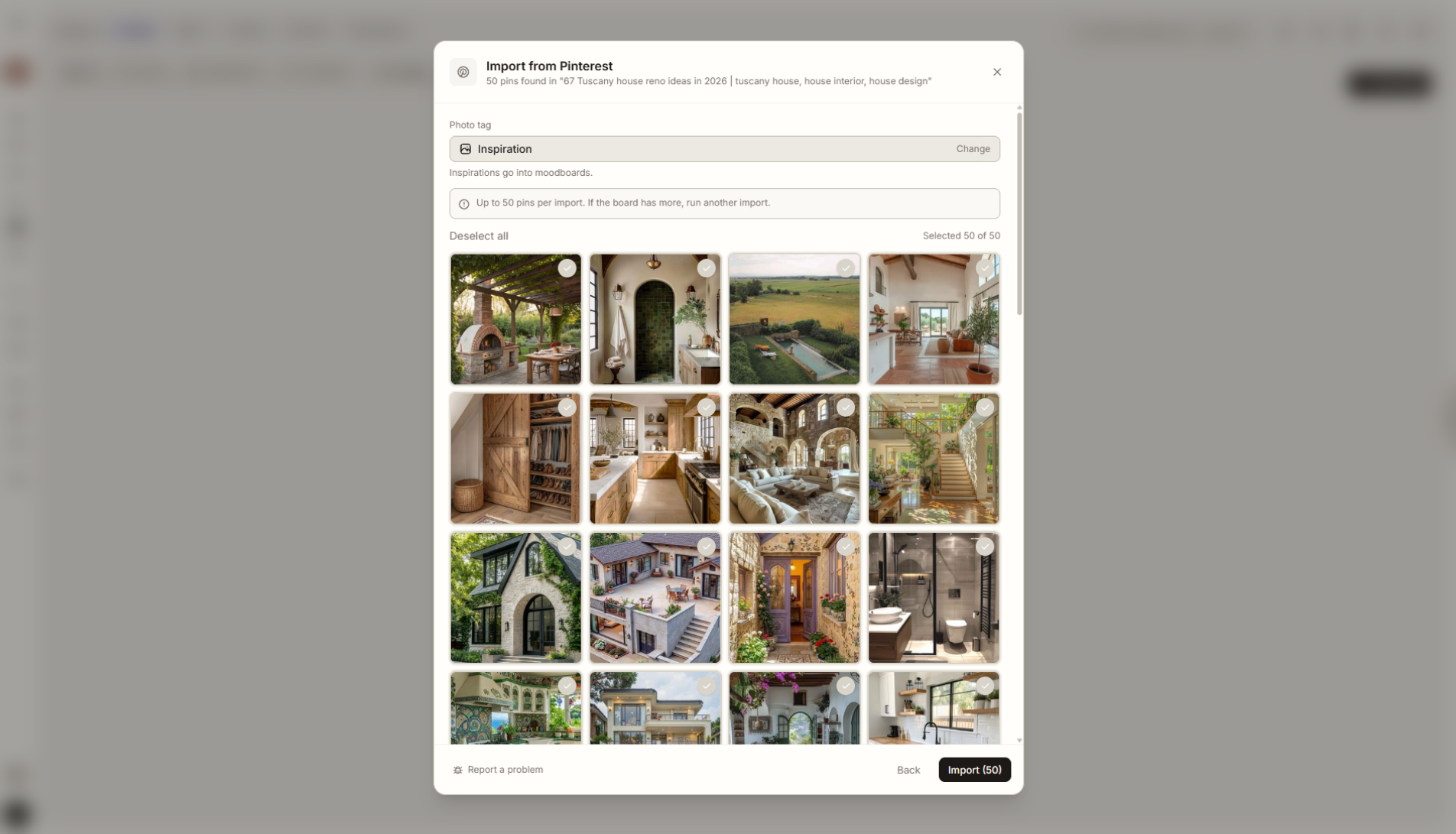
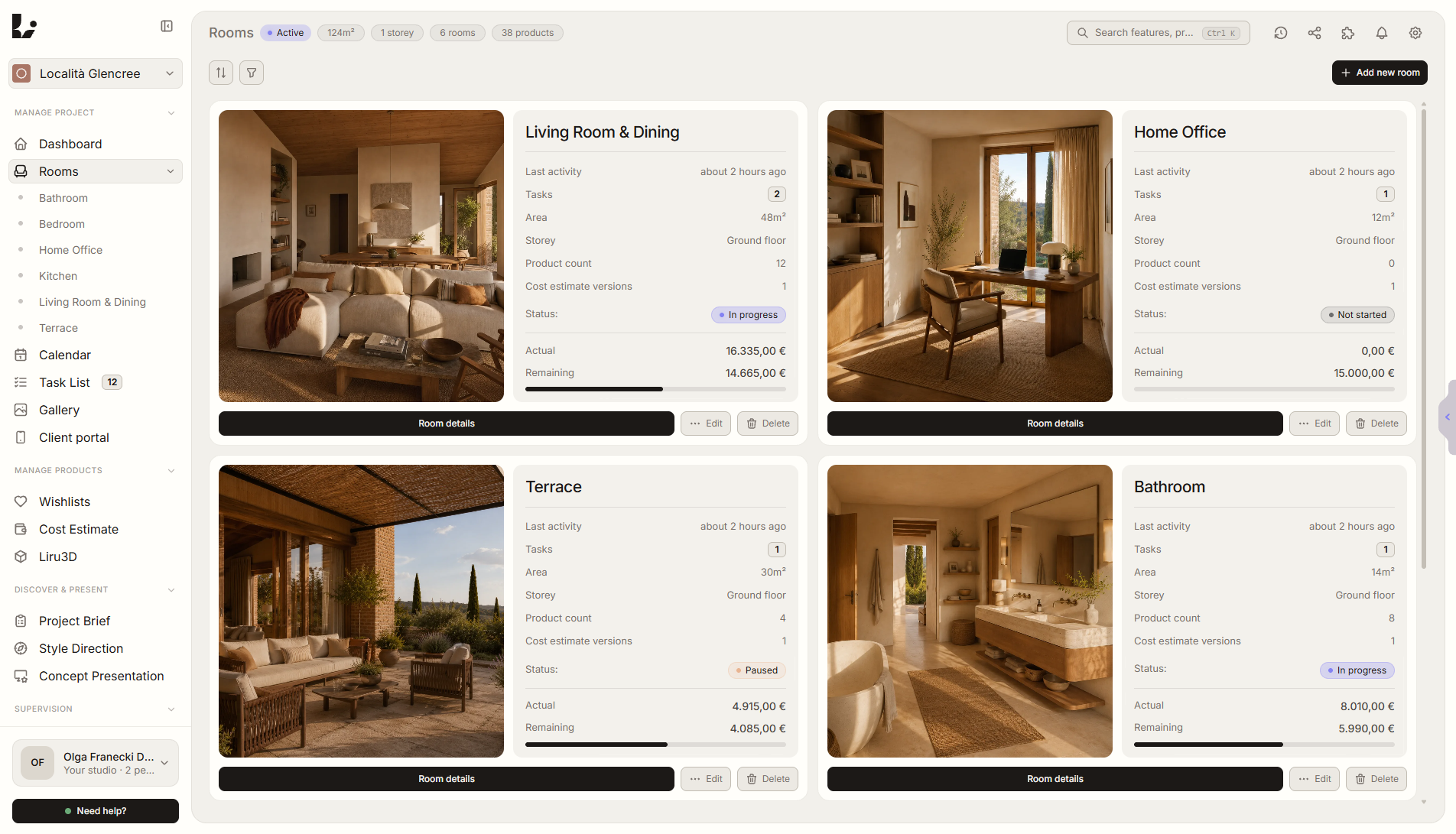
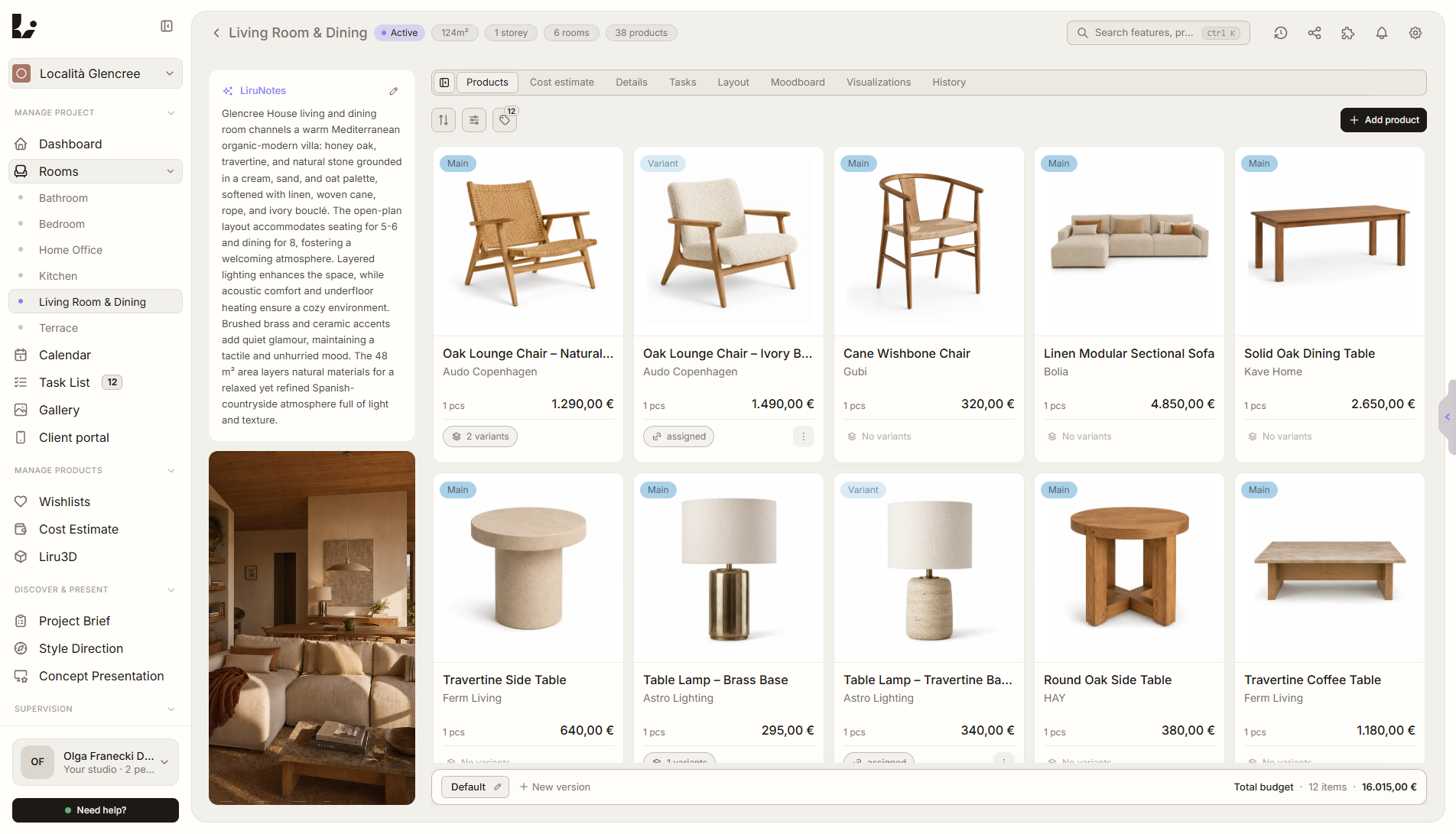
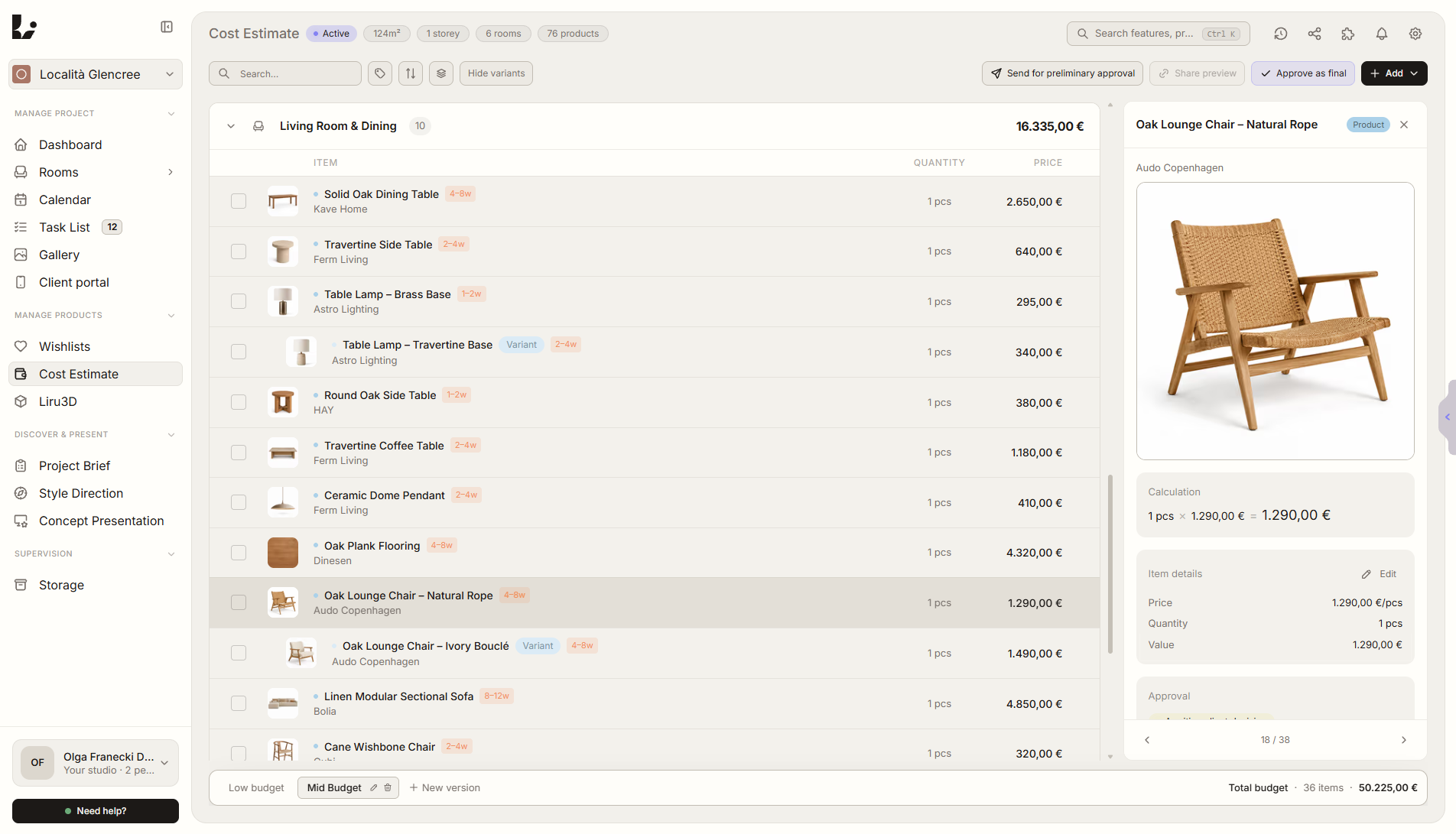
Migration does not need to become a heavy IT project. Most teams need a few active projects organized so they can continue work in Liru from the current stage.
Bring over project structure, products, statuses, and key agreements without manually recreating the workflow.
Turn budgets, product lists, orders, and statuses into a working estimate and shopping workflow.
Recover decisions, comments, approved variants, and open questions that still need the client's answer.
Organize tasks, files, inspiration, and materials around the actual interior project structure.
A migrated project should be usable, not just archived. We focus on the pieces that help you run the next stage of work.
Project structure, rooms, requirements, and brief context.
Furniture, materials, links, prices, variants, and selection statuses.
Cost estimate, approved items, shopping list, and order status.

Approvals, comments, rejected options, and open decisions in one place.
We start with one active project. That makes it clear what should move, what should stay archived, and what can be organized better right away.
01
You show where the project lives today: Kislist, spreadsheet, folder, PDF, Notion, or several places at once.
02
We choose the current scope: rooms, products, budget, client decisions, presentations, and next tasks.
03
We help move the important information so the project can continue in one workflow.
The best migration starts with one concrete project. We will tell you what can move quickly and what the simplest first step should be.