Live Budget
From the first estimate version to the last payment.
Set the initial budget frame, prepare several estimate versions and show the client concrete product variants.
Try Live Budget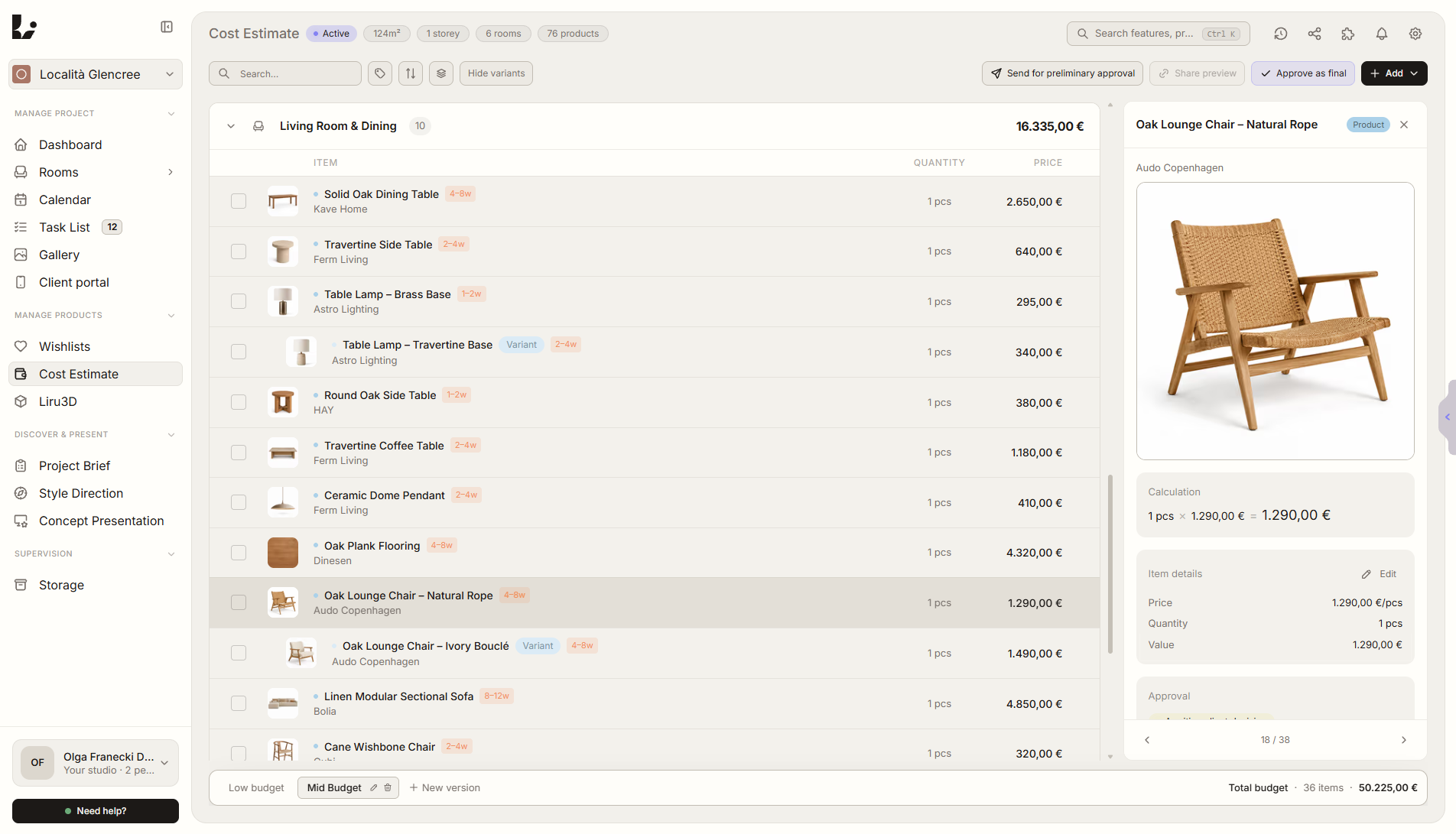
From first assumptions to last payment
01
Initial estimate
02
Budget versions
03
Product variants
04
Approvals
05
Execution
In Excel, the estimate is a separate file.
In Liru, it is part of the project.
Estimate versions, product variants, client decisions, orders, payments and invoices stay connected to the same items. From first assumptions to execution - without manually rewriting data or creating more spreadsheets.
One item. Full context.
Every product, material or labor item keeps the context needed from the first calculation to final settlement.
Store data without rewriting
Add a product with the Liru extension. The available image, link, price, dimensions, SKU, supplier and material go straight into the estimate.
Products, materials and labor
Separate items by type so the estimate shows the full cost of furnishings, materials and execution.
Calculation on every item
Price, quantity and calculation stay connected to the specific product or service.
Statuses in one place
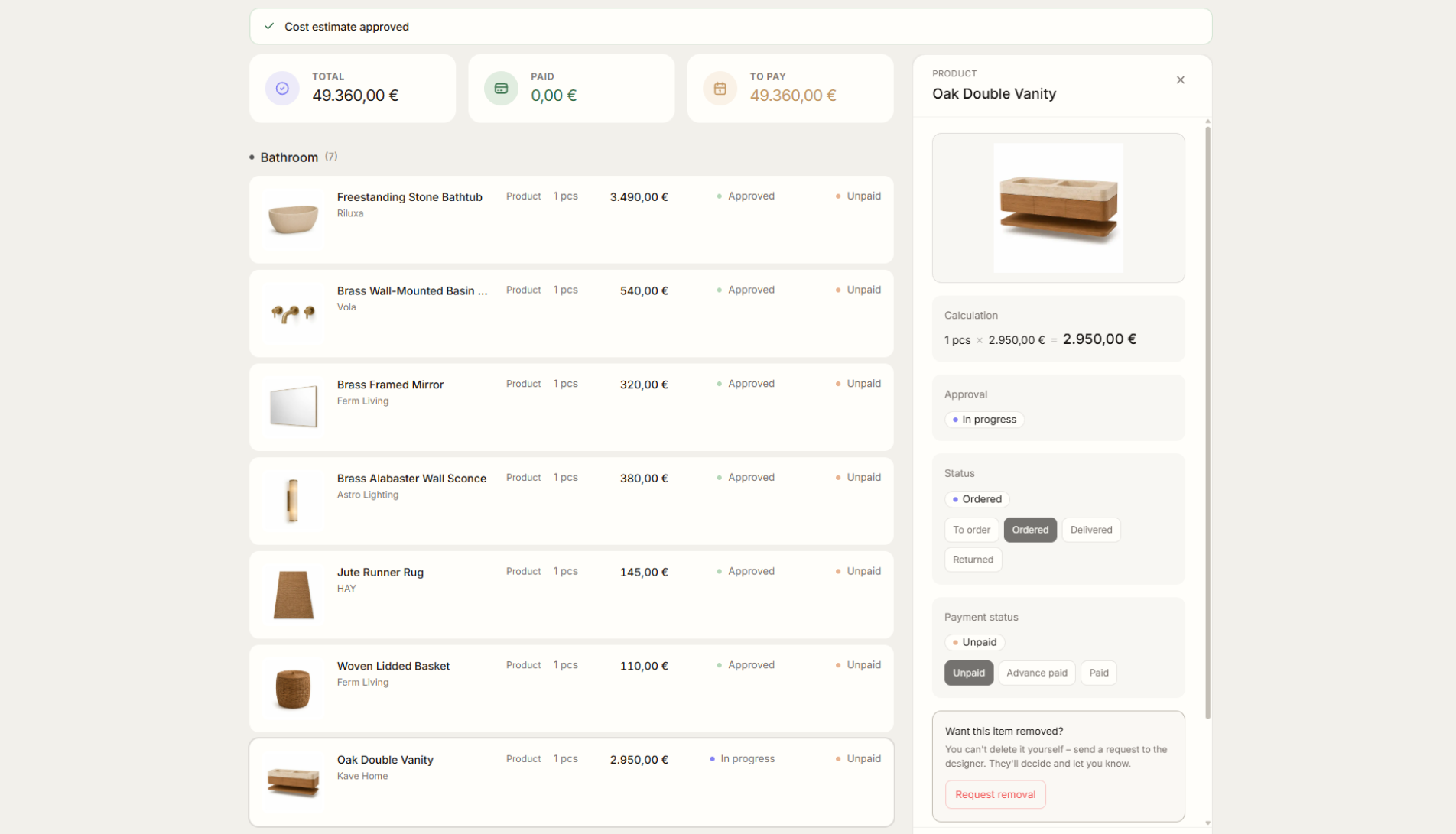
On every item, you see approval, order and payment status.
Notes, invoices and decision history
Add notes and documents directly to the item. The full history shows who approved what and when - without guessing or returning to old arrangements.
Control over the client view
Share a selected estimate version, hide store links and show the client only the information needed to make a decision.
Start with the first estimate.
Every approval updates the budget, and accepted items continue through orders, payments and invoices without moving data between spreadsheets.
Try Live BudgetFrom the blog
Mar 14, 2026
The Complete Guide to Interior Design Budget Tracking
Spreadsheets break. Products change. Clients add requests. Here's how to keep your design budget accurate and real-time.
Read articleJun 18, 2026
Liru vs PDF, Excel, and Email
PDFs present the project, Excel counts the budget, and email carries decisions. Liru connects the whole process in one workspace.
Read articleJun 18, 2026
What Happens After the Client Approves a Product?
From product choice to budget update, shopping list, orders, and delivery control.
Read articleJun 18, 2026
How to Track Product Price Changes During a Project
Why product prices drift during long projects and how to keep budget decisions connected to current data.
Read article