Feature overview
Where this fits in the project
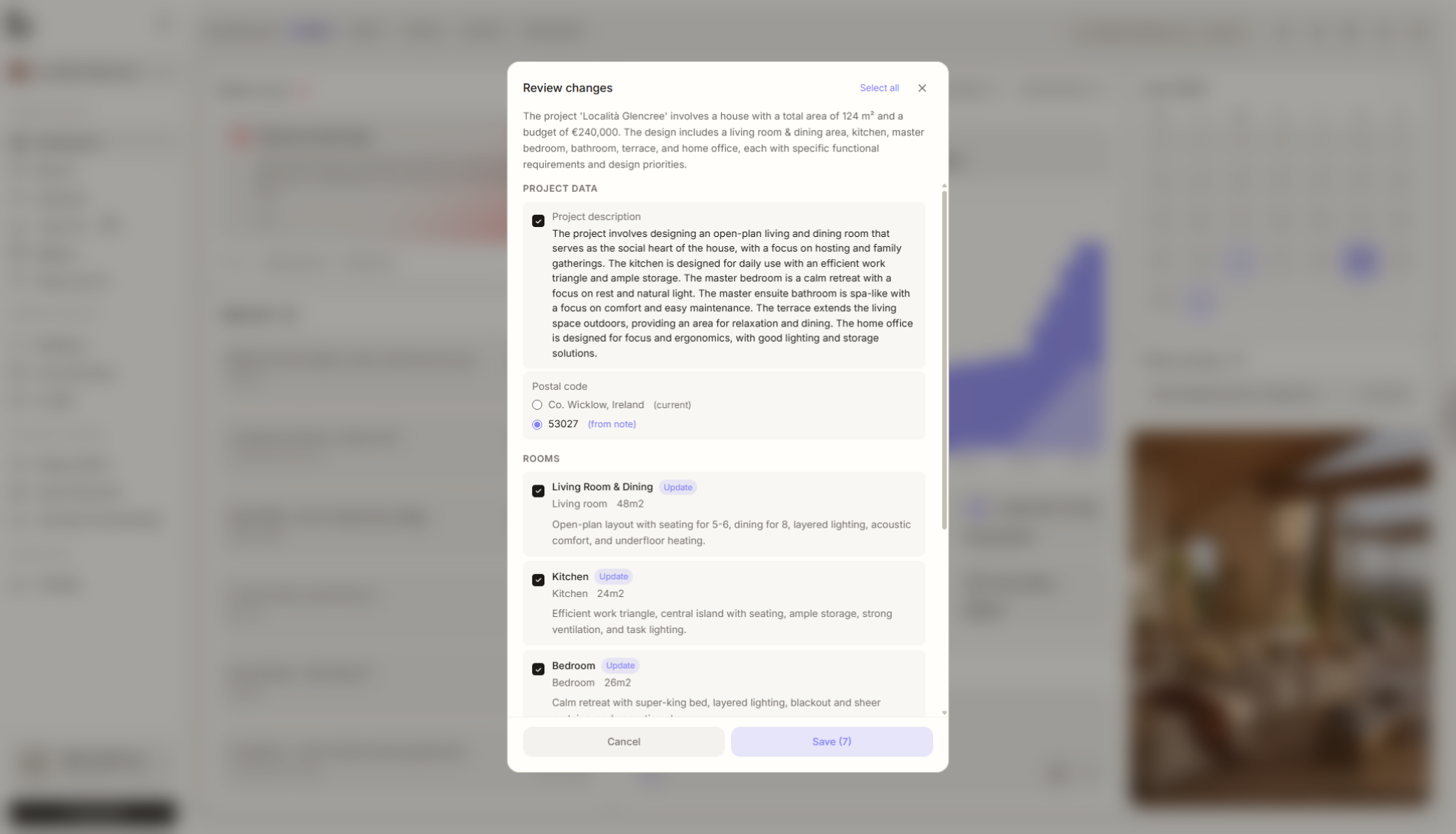
Write a note after a meeting - just as you remember it, no formatting needed. AI extracts project data, rooms, tasks, and deadlines. You just approve what goes into the project.
LiruNotes is for the moment after a meeting when you have a lot of information and very little structure. You paste the note, and Liru helps turn it into requirements, rooms, tasks, and dates.
What it gives you in practice
How it works step by step
You write naturally, AI extracts project elements, and you decide what actually enters the workspace.
Write a note
Just as you remember it. No structure, no format.
AI analyzes
Extracts project data, rooms, tasks, deadlines.
Review and approve
See what AI extracted. Approve individually or all at once.
Data in the project
Approved elements go into the right rooms, tasks, and requirements. The project structure builds itself.
Related features
These modules usually work together when you run a real project from brief to approval.
Take notes your way. Liru handles the rest.
Choose a plan and start running your project in Liru.
Sign up