Functional Layout for interior designers
Floor plans with descriptions, advantages, and limitations for every variant.
Sign up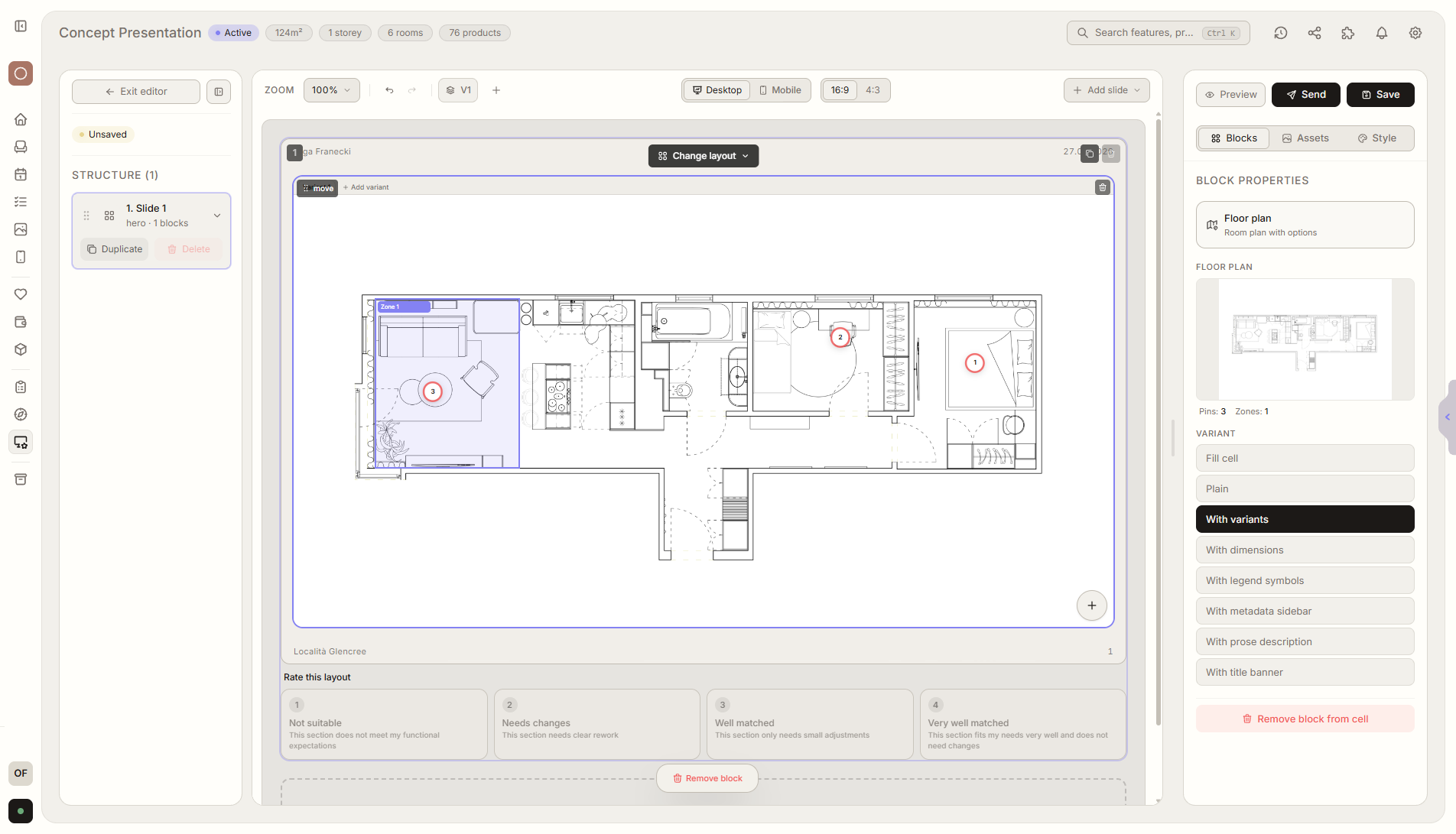
Feature overview
Where this fits in the project
Functional Layout lets you show clients floor plan variants with descriptions, advantages, and limitations. The client evaluates each option, comments, and chooses the direction to move forward with.
Functional Layout organizes the stage between the brief and visualizations. The client sees floor plan variants, understands the trade-offs, and chooses a direction before you refine the aesthetics.
What it gives you in practice
How it works step by step
You prepare several variants, explain the logic behind each one, and the client's decision stays attached to the exact layout.
Add layout variants
Upload functional layouts or room plans.
Describe strengths and limits
Explain what each variant gives and what trade-offs it has.
Client evaluates
They choose a direction, comment, and compare variants.
Save as a template
Future projects can start from a ready structure for variants, descriptions, and evaluation.
Related features
These modules usually work together when you run a real project from brief to approval.
Show layouts so the client can truly choose.
Choose a plan and start running your project in Liru.
Sign up