Decision History for interior designers
Every approval, change, and comment logged with date and context.
Sign up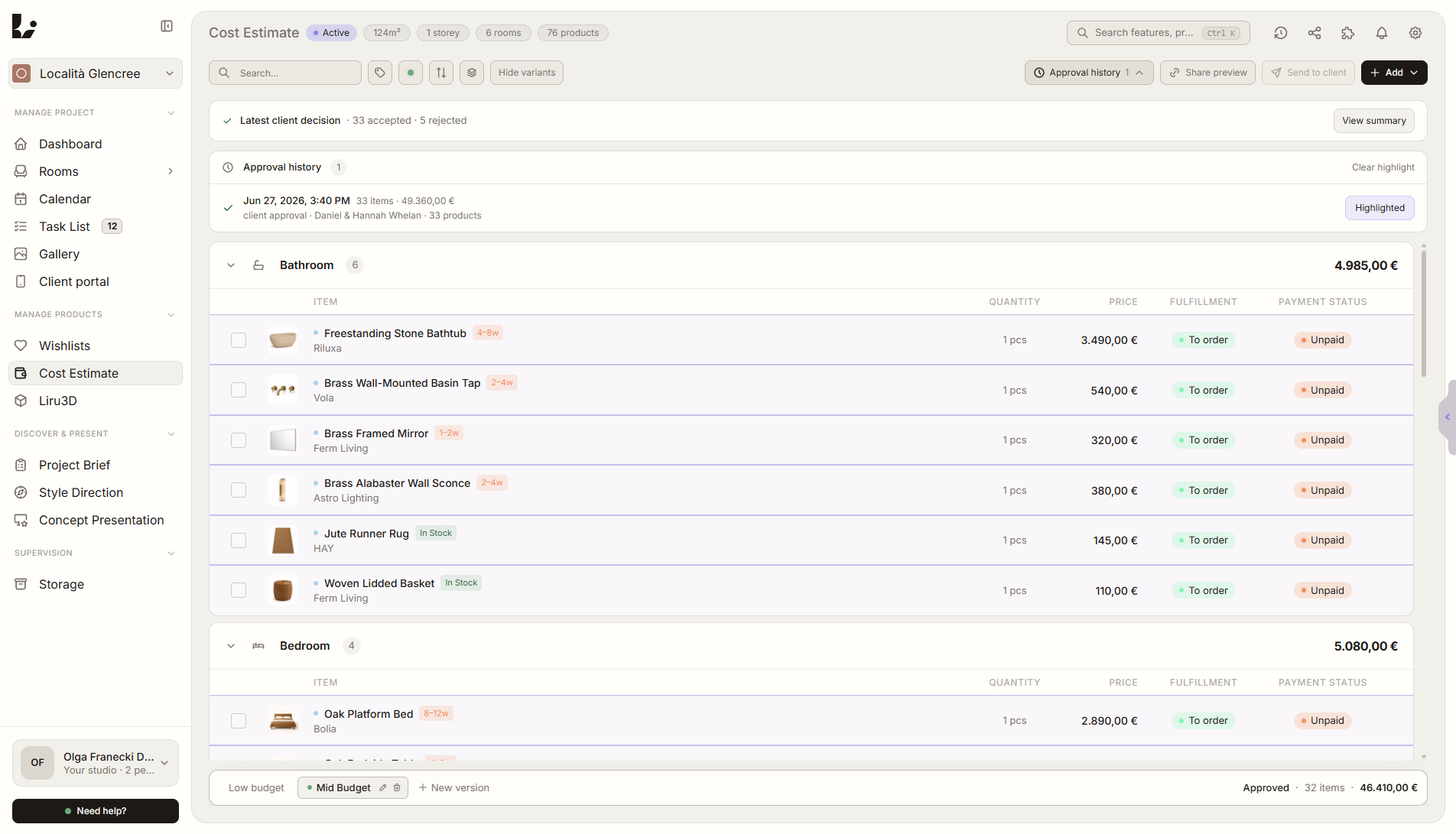
Feature overview
Where this fits in the project
Decision History records approvals, rejected variants, change requests, comments, and key client actions with date, author, and project context. You do not have to reconstruct agreements from emails and messages - you know what was accepted, what changed, and why.
Decision History protects the project from agreement chaos. Every approval, rejection, comment, and change request is saved with context.
What it gives you in practice
How it works step by step
The client acts in the portal, Liru records the decision next to the exact item, and you can return to it without searching through emails.
Client reviews
In the portal, the client approves, rejects, comments, or requests changes.
Liru records the action
Each decision has time, author, and a link to the exact project element.
You check the history
Return to decisions by room, presentation, product, or project stage.
Move forward with confidence
The next steps are based on documented decisions, not memory.
How to use it in Liru
Decision History works in the background while your client uses the portal. When the client approves a visualization, chooses a product, comments on a moodboard, rejects a variant, or requests a change, Liru saves it as part of the project history.
Each entry keeps context: date, author, decision type, and the place it belongs to. This lets you return to agreements without searching through emails, messages, PDFs, or meeting notes.
Decision History also helps the team. Everyone can see what has been approved, what is waiting for a response, and which decisions are the basis for the next project stage.
Related features
These modules usually work together when you run a real project from brief to approval.
Client Portal
One place where the client sees the entire project and makes decisions. No login required.
View featureClient Decision Reminders
Liru pings the client when a decision stays pending too long in the portal.
View featureVisualization Presentation
Ready room visualizations that clients approve or comment on.
View featureDo not lose agreements after meetings and presentations.
Choose a plan and start running your project in Liru.
Sign up