Visualization Presentation for interior designers
Ready room visualizations that clients approve or comment on.
Sign up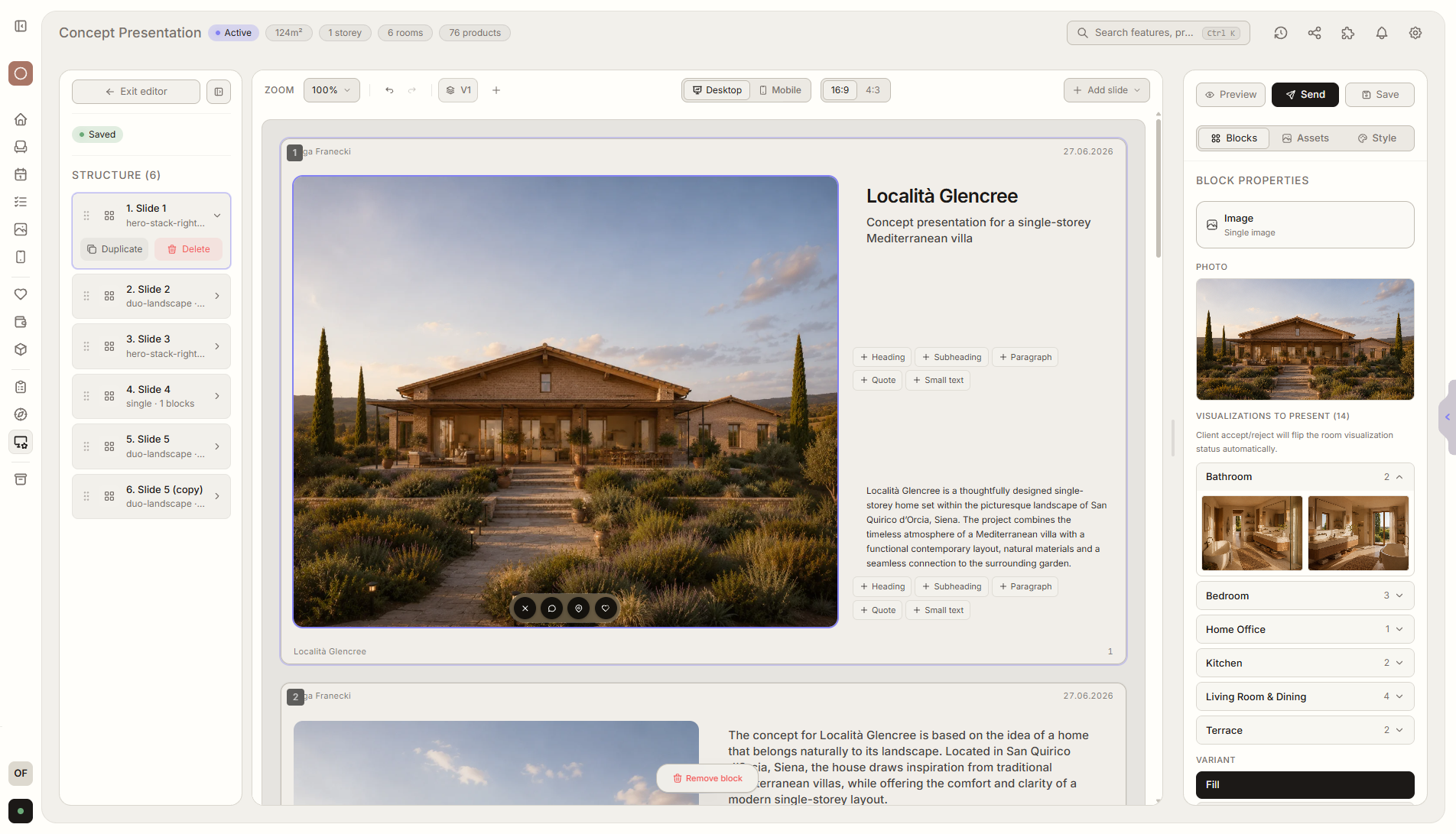
Feature overview
Where this fits in the project
Visualization Presentation is for showing ready room visualizations, not generating them. The client approves visuals or requests changes, and feedback stays attached to the exact room and image.
Visualization Presentation replaces sending renders through PDFs and messages. The client reviews finished visuals in room context, approves them, or requests changes where the decision happens.
What it gives you in practice
How it works step by step
You add finished visuals, organize them by room, and collect comments without reconstructing feedback from email threads.
Add ready visualizations
Upload prepared room images to the presentation.
Arrange the presentation
Split it by room and add context for the client.
Client approves or comments
They can accept the visualization or request changes.
Reuse the template
You do not rebuild the presentation from scratch - you add new visuals to a proven structure.
Related features
These modules usually work together when you run a real project from brief to approval.
Functional Layout
Floor plans with descriptions, advantages, and limitations for every variant.
View featureProduct Presentation
Furniture and product variants that clients choose and approve.
View featureClient Portal
One place where the client sees the entire project and makes decisions. No login required.
View featurePresent ready visualizations without comment chaos.
Choose a plan and start running your project in Liru.
Sign up