Product Presentation for interior designers
Furniture and product variants that clients choose and approve.
Sign up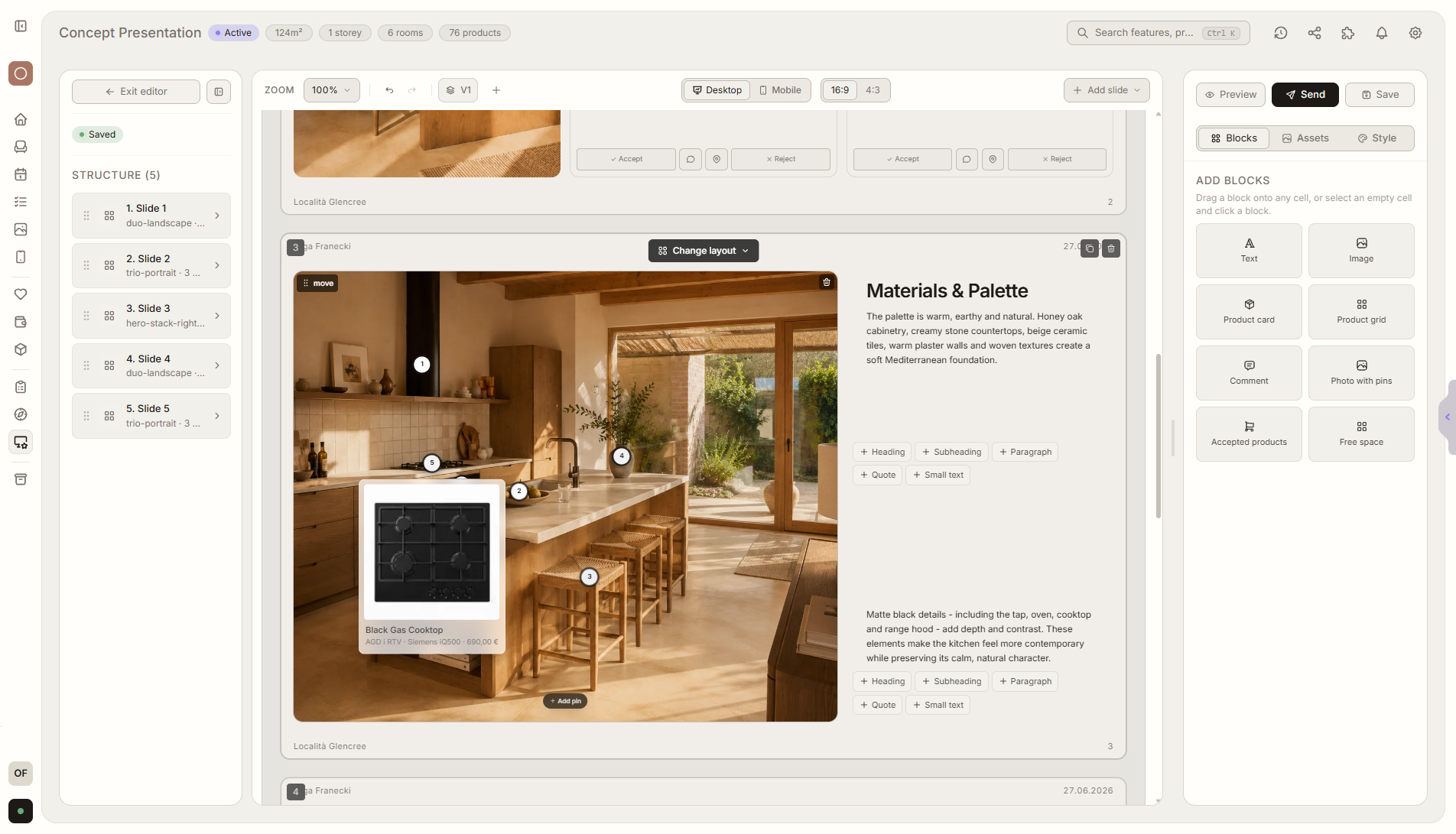
Feature overview
Where this fits in the project
Product Presentation lets you show variants of furniture, lighting, materials, and other items. The client chooses and approves products, and the result flows into the cost estimate.
Product Presentation turns furniture, lighting, and material choices into a clear decision process. The client compares variants, chooses a concrete option, and approved items can move into the cost estimate.
What it gives you in practice
How it works step by step
Products are shown as variants, the client chooses a preferred option, and the decision stays connected to the room and budget.
Add product variants
Prepare furniture, lighting, materials, and other options.
Share with the client
The client compares variants in the portal.
Client chooses
They approve products that should enter the project.
Save the structure as a template
Future product presentations are faster because you do not arrange everything from scratch.
Related features
These modules usually work together when you run a real project from brief to approval.
Turn product selection into a clear client decision.
Choose a plan and start running your project in Liru.
Sign up