Feature overview
Where this fits in the project
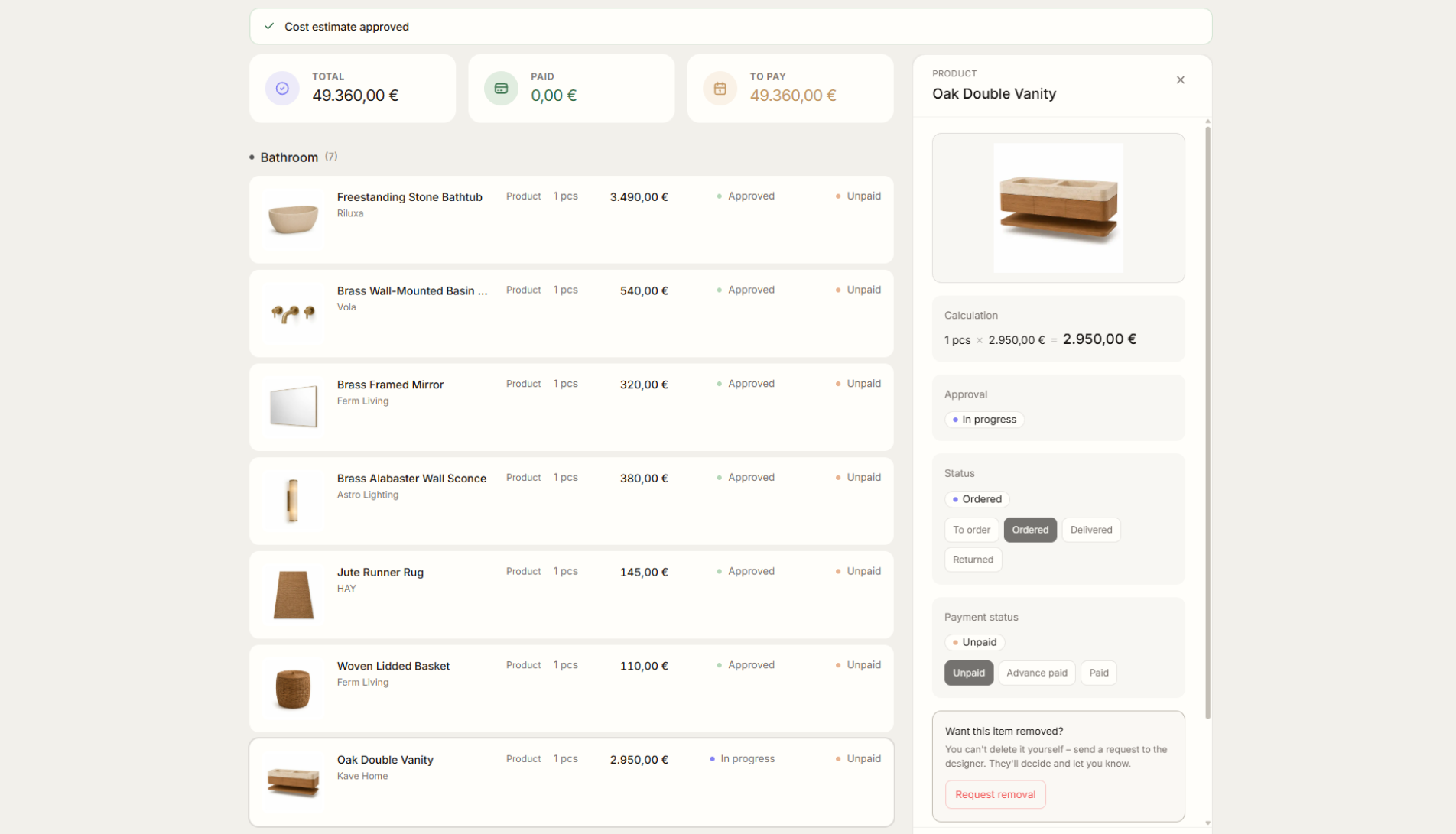
When the client approves the budget and chooses products, the cost estimate becomes a shopping list. You can use it to track what needs to be bought, what has been ordered, what is delivered, and what still needs action.
Shopping List closes the loop after product approval. Approved items do not stay trapped in a presentation; they move into a purchasing, ordering, and fulfillment view.
What it gives you in practice
How it works step by step
The client approves a product, Liru moves it into the shopping list, and you track what is planned, ordered, and delivered.
Client approves
The client accepts the budget and selected products.
Liru creates the shopping list
Approved products turn into items ready to buy or order.
Track fulfillment
Follow what is planned, ordered, delivered, and completed.
Close the loop
Purchasing stays connected to the approved cost estimate.
Related features
These modules usually work together when you run a real project from brief to approval.