Client Portal Branding for interior designers
Your logo, photos, and studio identity.
Sign up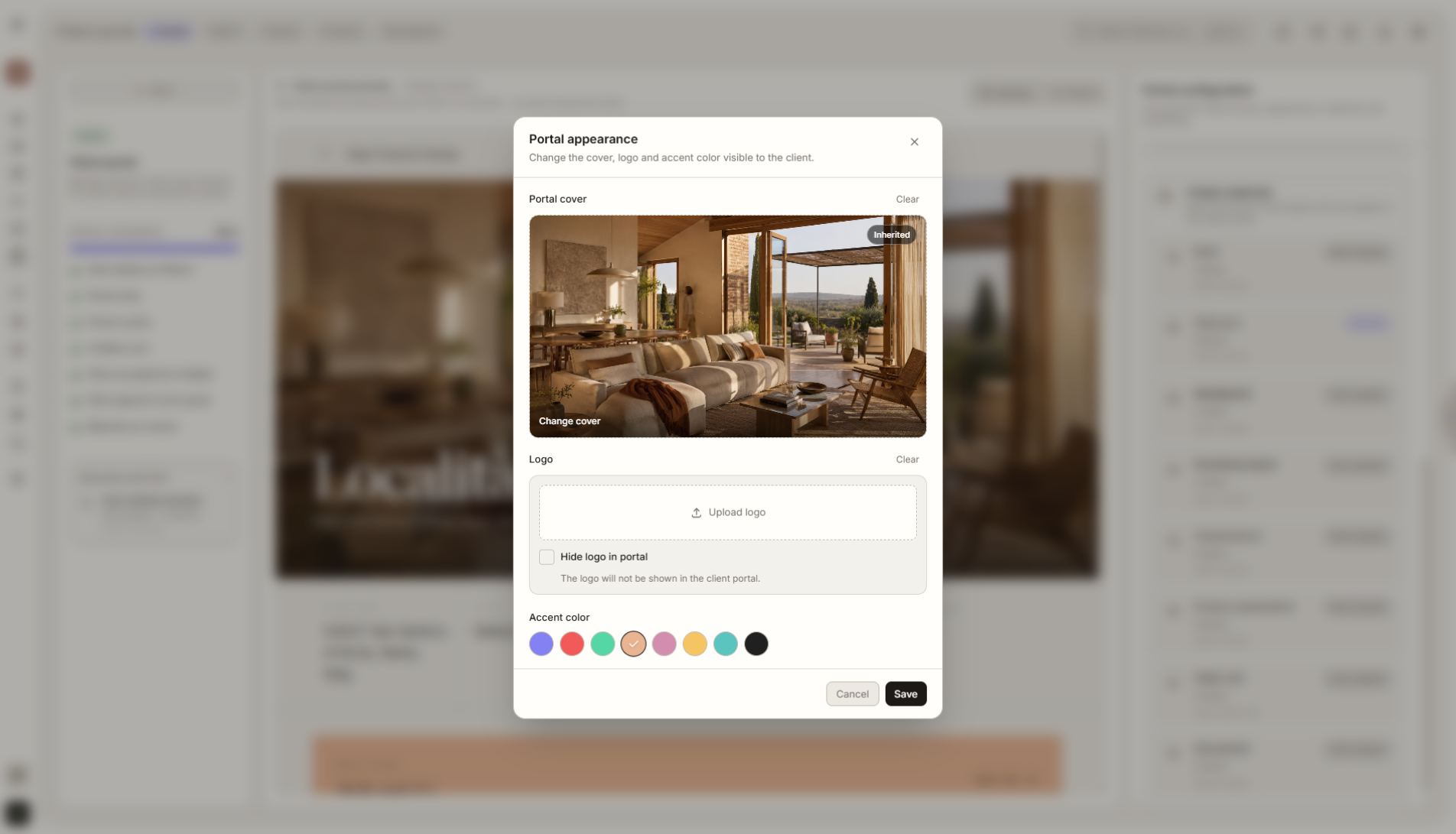
Feature overview
Where this fits in the project
Client Portal Branding lets you adapt the portal to your studio identity. Add your logo, photos, project visuals, and client-facing details so every shared project feels like a professional experience from your own brand.
Client Portal Branding makes the project feel like part of your studio, not a random tool. Logo, cover image, and visual identity make the whole process feel more professional.
What it gives you in practice
How it works step by step
You add branding, choose visual materials, and publish a portal that stays consistent with the studio's identity.
Add branding
Upload your logo and set the basic portal identity.
Choose visual materials
Add project photos, covers, or graphics the client will see in the portal.
Publish the portal
The client opens the project through one link and sees it in your studio's visual language.
Reuse the settings
Saved branding settings can be applied quickly in future projects.
How to use it in Liru
Client Portal Branding lets you set the look and basic identity of a project before sending the portal link to the client. You can add your studio logo, graphics, project photos, a cover image, and elements that make the portal feel like part of your brand.
The client does not see a random tool. They see a coherent space prepared by your studio. This matters especially when presentations, budget, products, and decisions are all shared through one link.
Branding settings can be saved and reused across future projects, so you do not have to rebuild the visual setup from scratch every time.
Related features
These modules usually work together when you run a real project from brief to approval.
Client Portal
One place where the client sees the entire project and makes decisions. No login required.
View featureVisualization Presentation
Ready room visualizations that clients approve or comment on.
View featureDecision History
Every approval, change, and comment logged with date and context.
View featureShow the project in your studio's visual language.
Choose a plan and start running your project in Liru.
Sign up