← All features

// Moodboard Builder

Collaborate visually. Decide together.

Build moodboards and share them with clients through the portal. Clients react, comment, and pick favorites – all tracked in one place. No more scattered Pinterest boards.

Moodboard Builder

What you get

  • Drag-and-drop moodboard creation
  • Client reactions and comments tracked
  • Link directly to products and materials
  • Share via portal – no account needed
  • Multiple moodboards per project and room

How it works

1

Create a moodboard

Add images, products, materials, and color palettes.

2

Arrange and curate

Lay out your vision with drag-and-drop.

3

Share with your client

Moodboard appears in their portal for review.

4

Collect feedback

Clients react to individual elements – hearts, comments, selections.

How to use Moodboard Builder

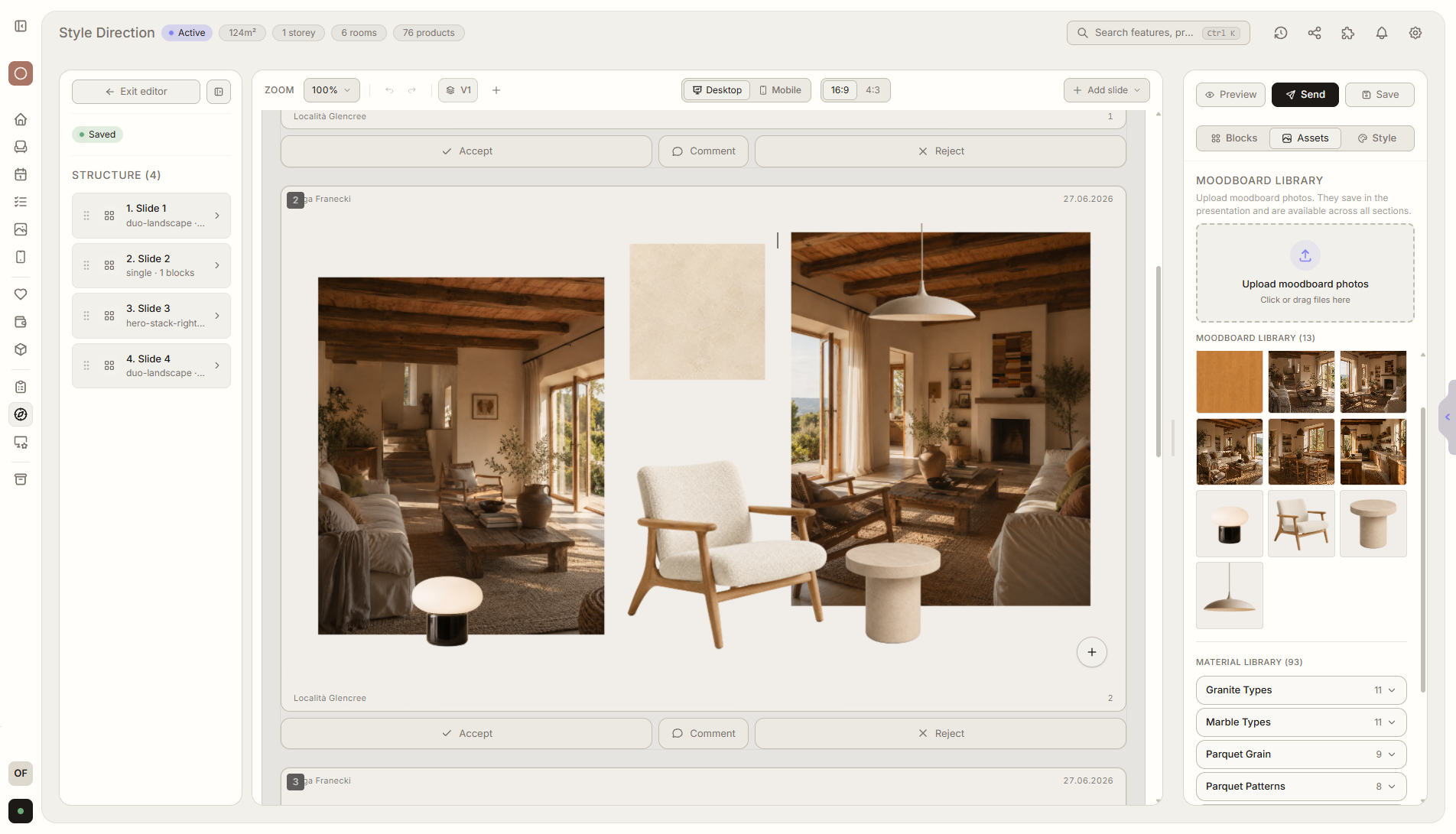
Navigate to your project and open Style Direction from the left sidebar. Click the New Moodboard button to launch the moodboard editor. The editor opens a free-form canvas where you can compose your visual concept from multiple sources. Start by uploading inspiration images directly from your computer, or drag products from your project wishlists onto the canvas. You can also add color swatches by entering hex codes or picking from a palette tool, and drop in material texture samples from the built-in material library. Each element on the canvas is independently resizable and repositionable -- drag to arrange, resize handles to scale, and layer elements in front of or behind each other to create depth and hierarchy in your composition. The left sidebar (310px wide) provides quick access to three collapsible resource folders: your question bank, an image gallery, and the materials library. This lets you browse and pull assets onto the canvas without leaving the editor. Add text annotations to explain your thinking, and group elements visually by room or by concept direction. When your moodboard is ready, click Publish to push it to the client portal. You can create multiple moodboards per project -- one per room, or one per concept direction -- to present alternatives side by side. Each moodboard gets its own page in the portal. When your client opens the portal and views a moodboard, they can interact with individual elements: tap to enlarge, leave comments on specific items, react with hearts to show preferences, and mark favorites. Every reaction and comment flows back to your dashboard in real time. You see exactly which elements resonated and which did not, giving you a documented foundation for the next design phase without scheduling a single review meeting.

Ready to try Moodboard Builder?

Free during early access. No credit card required.

Join early access