Automatic product categorization for interior designers
Products land in the right room classes from the start.
Sign up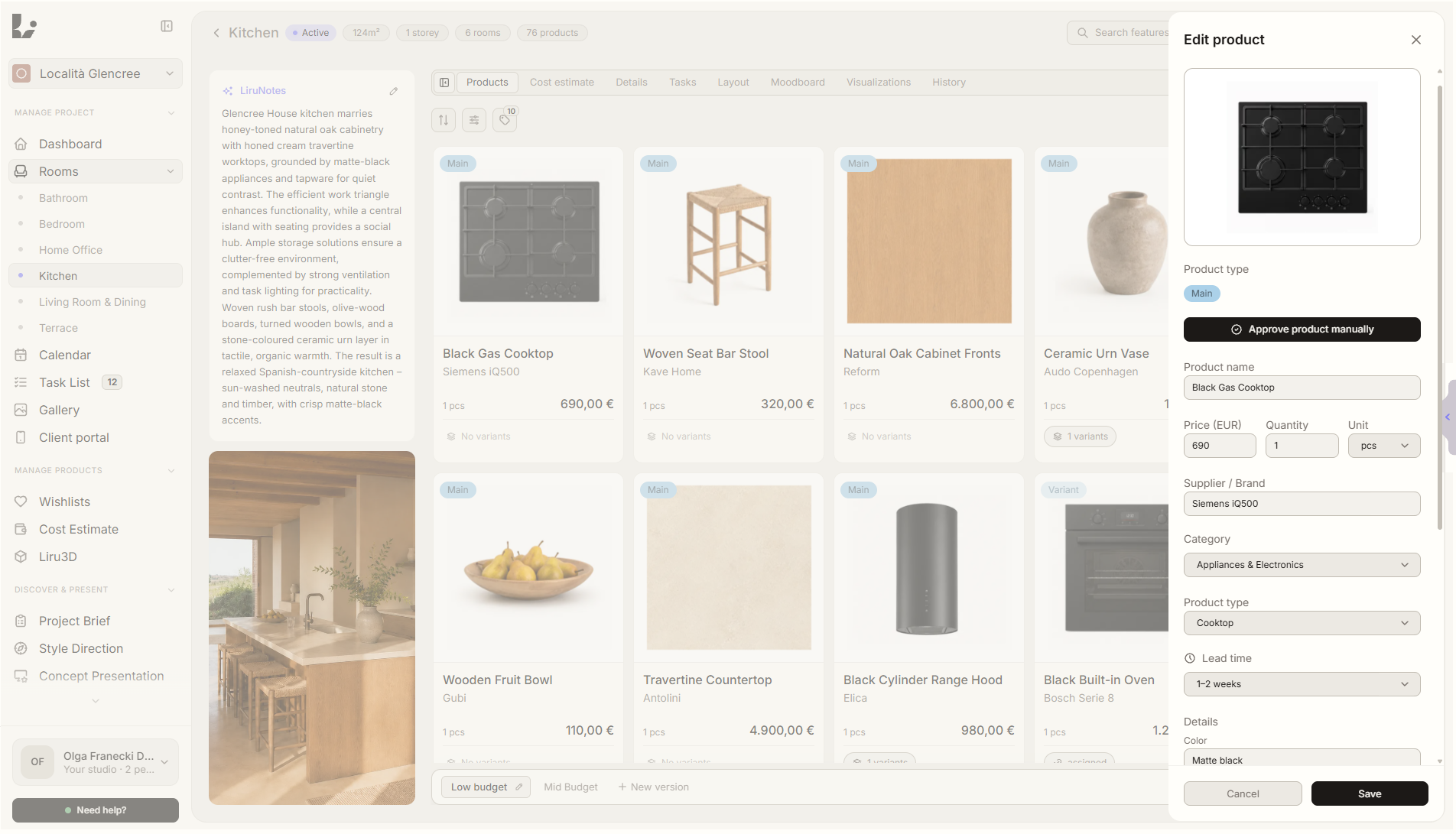
Feature overview
Where this fits in the project
Liru recognizes the product group, assigns a category and organizes the item into the right product class inside the room. The project does not become a flat list of links - products are ready for the budget, client portal and shopping list.
Automatic product categorization keeps products from different stores from becoming a chaotic list of links. Liru organizes them by room, category, and product class.
What it gives you in practice
How it works step by step
You add a product, Liru recognizes its type, and you review the structure before moving to presentation, estimate, or shopping list.
Add a product
A product can come from the extension, a wishlist or manual entry.
Liru recognizes the group
The system analyzes the name, description, supplier and product context.
The product lands in a class
The item is grouped into the right product class inside the room.
You keep control
Review and correct categories before the product moves into the next project stages.
How to use it in Liru
Automatic categorization works in the background while you manage products. Liru helps turn products from different stores into a structured project layer: product group, category, product class and room. The budget, client portal and shopping list then rely on a clear structure instead of a random order of links.
Related features
These modules usually work together when you run a real project from brief to approval.
Products without manual sorting
Add products to a project and let Liru organize them by group, class and room.
Sign up