Inspiration Moodboard for interior designers
Aesthetic preferences assigned to specific rooms.
Sign up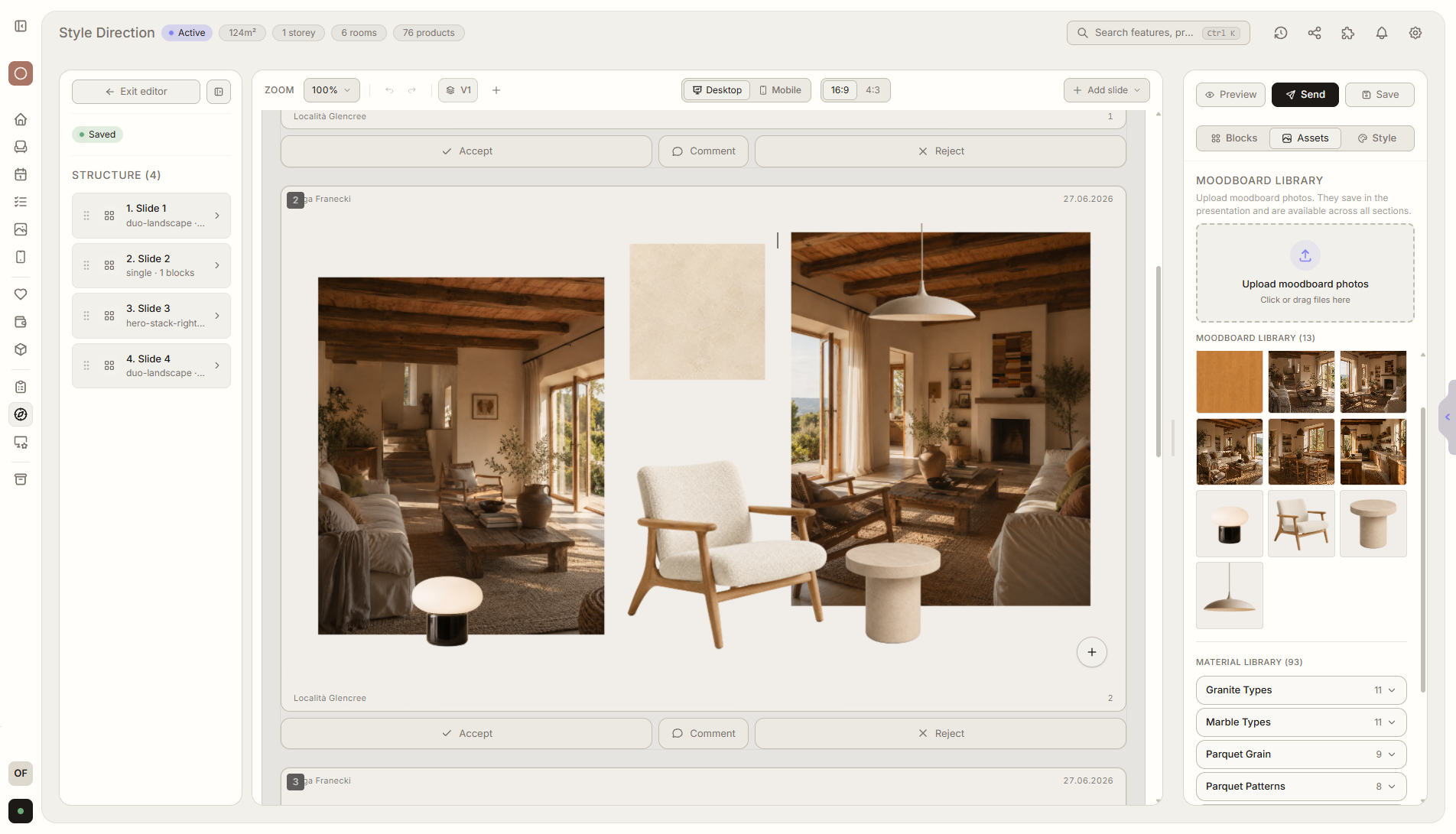
Feature overview
Where this fits in the project
The inspiration moodboard helps your client define aesthetic preferences for individual spaces. Each moodboard can be assigned to a room, so the style of the living room, kitchen, or bedroom is clear and saved in the project.
The moodboard saves the aesthetic direction where it will be used later: next to the room, products, and presentation. Style stops being a loose Pinterest reference.
What it gives you in practice
How it works step by step
You build a moodboard for a space, the client reacts to inspirations, and the choices stay saved in room context.
Create a moodboard
Add photos, products, materials, and colors for a specific room.
Assign it to a room
A moodboard can describe the living room, kitchen, bedroom, or any other space.
Client reacts
They mark favorite inspirations, comment on elements, and show what fits the room.
Reuse the template
A saved moodboard structure saves time with future clients and rooms.
Related features
These modules usually work together when you run a real project from brief to approval.