// workflow
The Complete Guide to Interior Design Budget Tracking

Why spreadsheets fail designers
Let's be honest: most interior designers track budgets in Excel or Google Sheets. And most of those spreadsheets are outdated within a week.
The problem isn't the math – it's the workflow. When a client approves a different tile in a presentation, someone needs to manually update the spreadsheet. When a product goes out of stock, someone needs to find the replacement and adjust the numbers. When the client asks "where are we on budget?" you need 30 minutes to verify your numbers before responding.
The real-time budget principle
Modern budget tracking should follow one rule: **every decision updates the budget automatically.**
This means:
• When a client approves a product in a presentation, the budget reflects it
• When you swap a material, both the old and new costs are visible
• When a product price changes online, you're notified
• When the client asks about budget, you share a link – not a file
Structuring your budget
By room, not by category
Most designers organize budgets by category (furniture, lighting, materials). But clients think in rooms. Structure your budget room-by-room with category subtotals within each room.
Track three numbers
For every line item, track:
1. **Estimated cost** – your initial allowance
2. **Selected cost** – the actual product chosen
3. **Approved cost** – what the client has formally approved
The gap between these three numbers tells you everything about project health.
Include labor and materials
Product cost is only part of the picture. Include installation, delivery, and any custom fabrication costs. Clients who see only product costs get sticker shock when the full invoice arrives.
Product sourcing and the budget connection
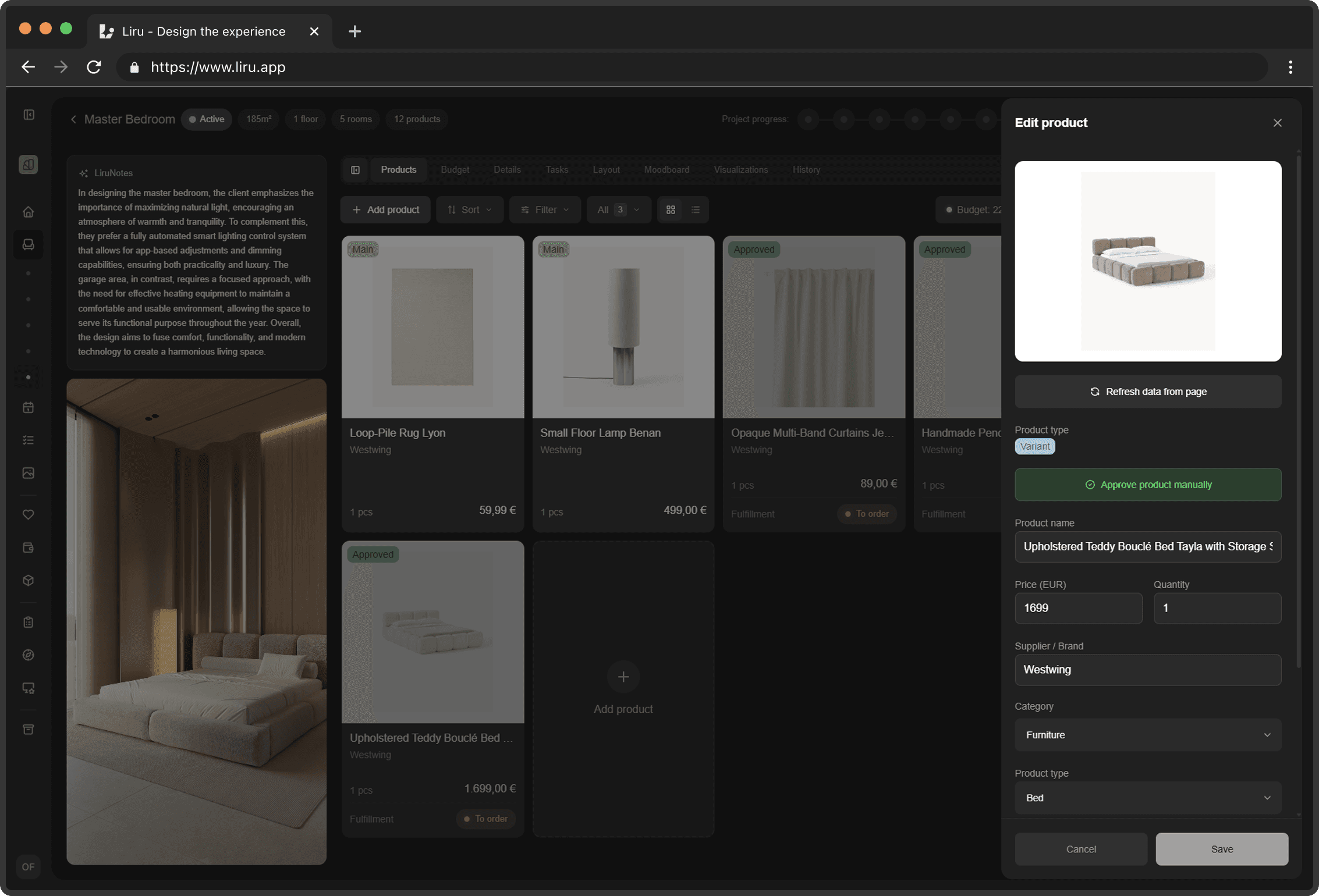
One of the biggest time drains is sourcing products from multiple websites, copying prices into spreadsheets, and keeping everything updated. A browser extension that captures products directly from store websites – with pricing, images, and specifications – eliminates this manual work entirely.
The key insight: product sourcing and budget tracking should be the same system. When you source a product, it should automatically appear in the budget. When a client approves it, the budget should update. No copy-pasting between tools.
Sharing budget with clients
Transparency builds trust. Share your budget with clients, but thoughtfully:
**Show room totals first**, details on demand
**Highlight decisions needed** – items without client approval
**Show budget vs. allowance** – are they over or under?
**Update in real-time** – a shared link, not a monthly PDF
Currency and international sourcing
If you source products internationally, you need multi-currency support. A rug from Morocco, tiles from Italy, and furniture from Scandinavia all have different currencies. Your budget tool should handle conversion automatically with up-to-date exchange rates.
The goal
A good budget system should answer any client question in under 10 seconds. "How much have we spent on the kitchen?" "What's the total for lighting?" "Are we over budget?" If you need to open a spreadsheet and scroll around, your system isn't working.
How Liru handles budget tracking
Liru's budget is the live system described in this article. Every product you source, every client approval, and every swap updates the budget automatically. There is no separate spreadsheet to maintain -- the budget is a direct reflection of the project's current state, organized by room with category breakdowns within each space. You see estimated, selected, and approved costs side by side, so the gap between plan and reality is always visible.
Product sourcing feeds directly into the budget through Liru's Chrome extension. Browse any online store -- IKEA, Amazon, local retailers -- and capture products with a single click. The extension pulls pricing, images, and specifications straight from the page and adds them to the right room and wishlist. When you source internationally, multi-currency support handles conversions automatically. No copying prices into cells, no broken formulas, no outdated numbers.
Clients see a live budget view in their portal, updated the moment anything changes. When they ask "where are we on the kitchen budget?" you share a link, not a file. If you want a budget system that answers questions in seconds, not minutes, join Liru's early access and leave the spreadsheets behind.
Ready to try a better workflow?
Join early access