Personalización del portal del cliente para interioristas
Tu logo, imágenes e identidad del estudio.
Sign up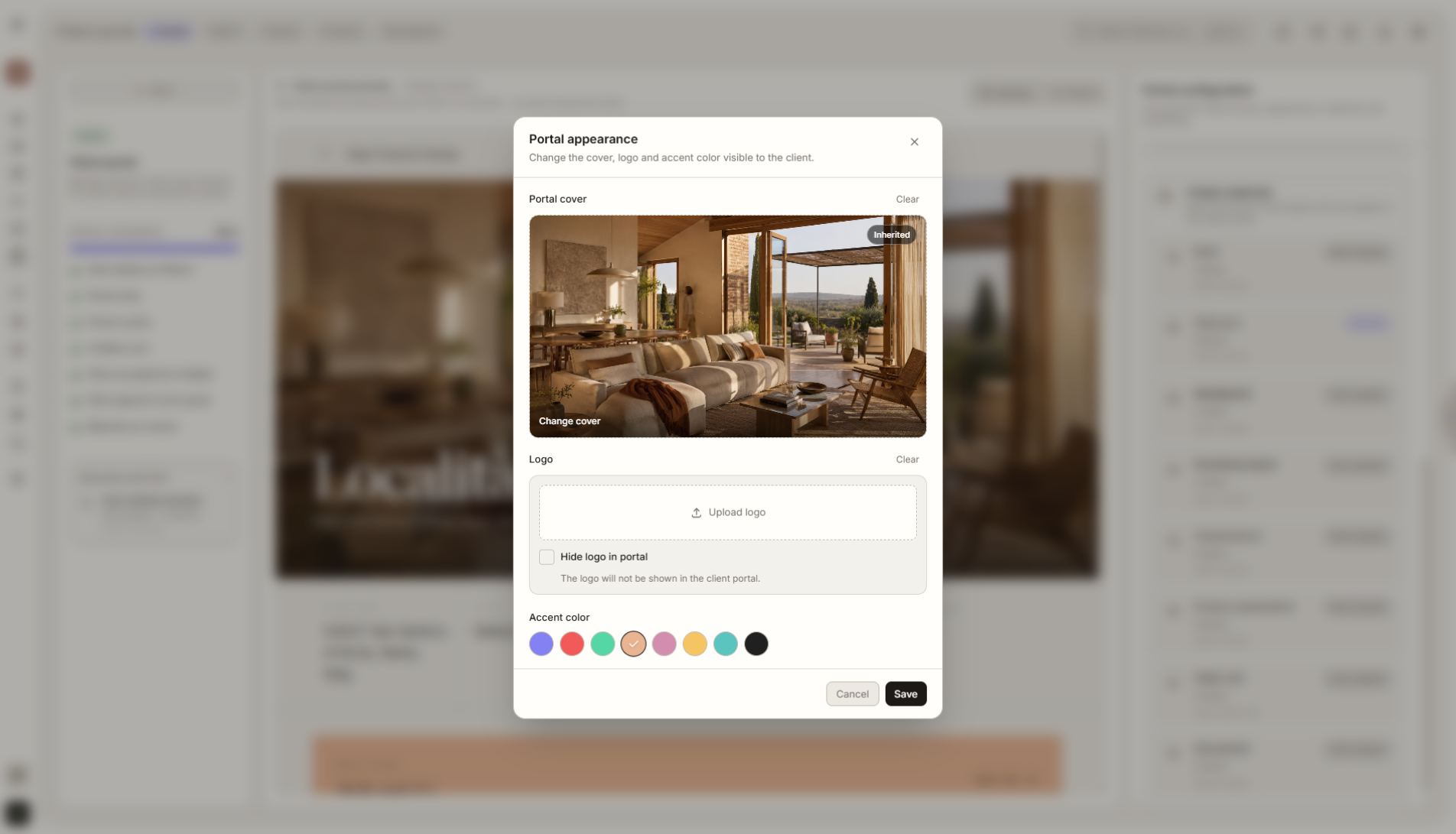
Resumen de función
Dónde encaja en el proyecto
Ajusta el portal a la identidad de tu estudio con logo, imágenes, gráficos e información visible para el cliente.
Liru conecta esta función con el resto del flujo de trabajo: portal del cliente, habitaciones, decisiones, productos, presupuesto y siguiente etapa.
Qué aporta en la práctica
Cómo funciona paso a paso
Tu logo, imágenes e identidad del estudio.
Add branding
Upload your logo and set the basic portal identity.
Choose visual materials
Add project photos, covers, or graphics the client will see in the portal.
Publish the portal
The client opens the project through one link and sees it in your studio's visual language.
Reuse the settings
Saved branding settings can be applied quickly in future projects.
Cómo usarlo en Liru
Client Portal Branding lets you set the look and basic identity of a project before sending the portal link to the client. You can add your studio logo, graphics, project photos, a cover image, and elements that make the portal feel like part of your brand.
The client does not see a random tool. They see a coherent space prepared by your studio. This matters especially when presentations, budget, products, and decisions are all shared through one link.
Branding settings can be saved and reused across future projects, so you do not have to rebuild the visual setup from scratch every time.
Funciones relacionadas
Estos módulos suelen trabajar juntos cuando llevas un proyecto real desde el brief hasta la aprobación.
Portal del cliente
Un lugar donde el cliente ve todo el proyecto y toma decisiones. Sin login.
Ver funciónPresentación de visualizaciones
Visualizaciones listas de habitaciones que el cliente aprueba o comenta.
Ver funciónHistorial de decisiones
Cada aprobación, cambio y comentario guardado con fecha y contexto.
Ver funciónShow the project in your studio's visual language.
Choose a plan and start running your project in Liru.
Sign up