Historial de decisiones para interioristas
Cada aprobación, cambio y comentario guardado con fecha y contexto.
Sign up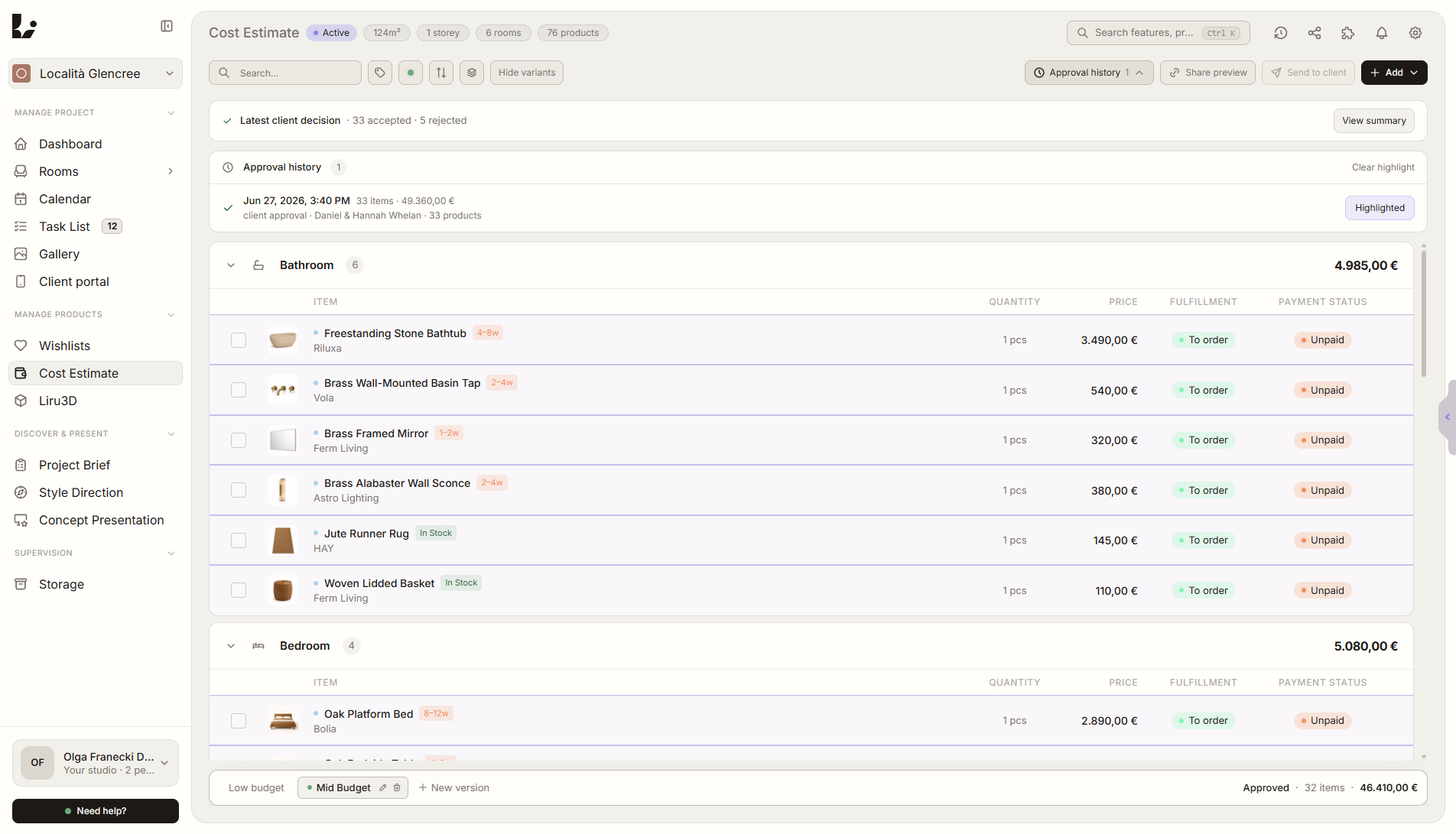
Resumen de función
Dónde encaja en el proyecto
Guarda aprobaciones, rechazos, cambios, comentarios y acciones del cliente con fecha, autor y contexto.
Liru conecta esta función con el resto del flujo de trabajo: portal del cliente, habitaciones, decisiones, productos, presupuesto y siguiente etapa.
Qué aporta en la práctica
Cómo funciona paso a paso
Cada aprobación, cambio y comentario guardado con fecha y contexto.
Client reviews
In the portal, the client approves, rejects, comments, or requests changes.
Liru records the action
Each decision has time, author, and a link to the exact project element.
You check the history
Return to decisions by room, presentation, product, or project stage.
Move forward with confidence
The next steps are based on documented decisions, not memory.
Cómo usarlo en Liru
Decision History works in the background while your client uses the portal. When the client approves a visualization, chooses a product, comments on a moodboard, rejects a variant, or requests a change, Liru saves it as part of the project history.
Each entry keeps context: date, author, decision type, and the place it belongs to. This lets you return to agreements without searching through emails, messages, PDFs, or meeting notes.
Decision History also helps the team. Everyone can see what has been approved, what is waiting for a response, and which decisions are the basis for the next project stage.
Funciones relacionadas
Estos módulos suelen trabajar juntos cuando llevas un proyecto real desde el brief hasta la aprobación.
Portal del cliente
Un lugar donde el cliente ve todo el proyecto y toma decisiones. Sin login.
Ver funciónRecordatorios automáticos para el cliente
Liru avisa al cliente cuando una decisión lleva demasiado tiempo pendiente en el portal.
Ver funciónPresentación de visualizaciones
Visualizaciones listas de habitaciones que el cliente aprueba o comenta.
Ver funciónDo not lose agreements after meetings and presentations.
Choose a plan and start running your project in Liru.
Sign up