Tâches et calendrier pour architectes d’intérieur
Vois ce qui est à faire. Sache quand c’est prévu.
Sign up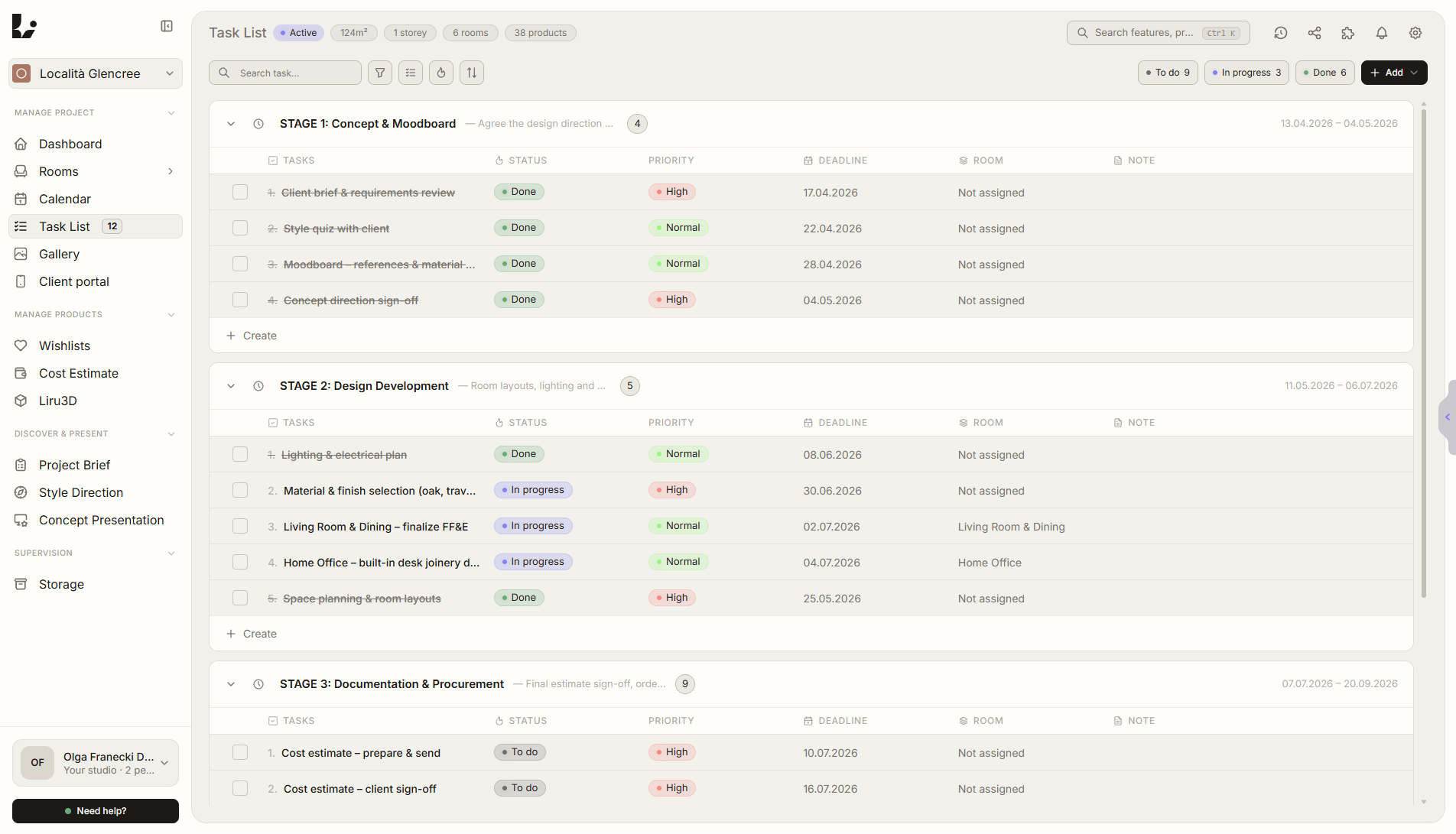
Aperçu de la fonctionnalité
Où elle intervient dans le projet
Kanban, calendrier et étapes construits pour le workflow réel des architectes d’intérieur.
Liru relie cette fonctionnalité au reste du workflow: portail client, pièces, décisions, produits, budget et prochaine étape du projet.
Ce que cela apporte en pratique
Comment cela fonctionne, étape par étape
Vois ce qui est à faire. Sache quand c’est prévu.
Create tasks or let AI generate them
Add manually or let brief responses create tasks for you.
Organize on the Kanban board
Drag between columns, filter by room, priority, or stage.
Group into stages
Define project phases with goals and timelines.
Track on the calendar
See deadlines, meetings, and milestones at a glance.
Fonctionnalités liées
Ces modules fonctionnent généralement ensemble dans un projet réel, du brief à l'approbation.
Détails du projet
Exigences générales du client sans Google Forms ni feuilles de calcul.
Voir la fonctionnalitéGestion des pièces
Chaque pièce a son historique. Liru les garde toutes en ordre.
Voir la fonctionnalitéRappels automatiques au client
Liru relance le client quand une décision reste trop longtemps en attente dans le portail.
Voir la fonctionnalité