Catégorisation automatique des produits pour architectes d’intérieur
Les produits arrivent directement dans les bonnes classes des pièces.
Sign up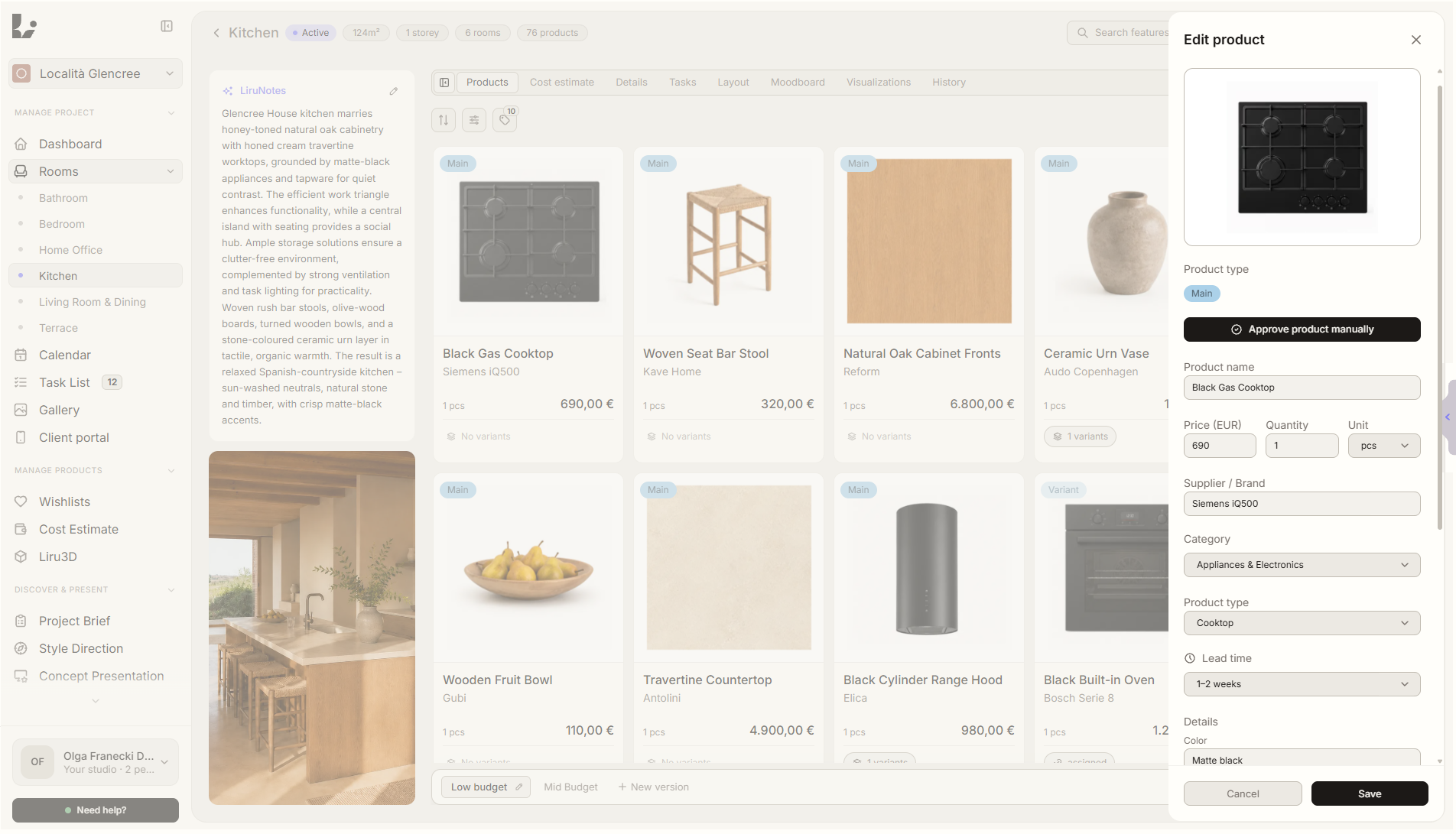
Aperçu de la fonctionnalité
Où elle intervient dans le projet
Liru reconnaît le groupe du produit, lui assigne une catégorie et l’organise dans la bonne classe.
Liru relie cette fonctionnalité au reste du workflow: portail client, pièces, décisions, produits, budget et prochaine étape du projet.
Ce que cela apporte en pratique
Comment cela fonctionne, étape par étape
Les produits arrivent directement dans les bonnes classes des pièces.
Add a product
A product can come from the extension, a wishlist or manual entry.
Liru recognizes the group
The system analyzes the name, description, supplier and product context.
The product lands in a class
The item is grouped into the right product class inside the room.
You keep control
Review and correct categories before the product moves into the next project stages.
Comment l'utiliser dans Liru
Automatic categorization works in the background while you manage products. Liru helps turn products from different stores into a structured project layer: product group, category, product class and room. The budget, client portal and shopping list then rely on a clear structure instead of a random order of links.
Fonctionnalités liées
Ces modules fonctionnent généralement ensemble dans un projet réel, du brief à l'approbation.
Products without manual sorting
Add products to a project and let Liru organize them by group, class and room.
Sign up