Liru3D pour architectes d’intérieur
Un modèle 3D à partir d’une photo. En quelques secondes.
Sign up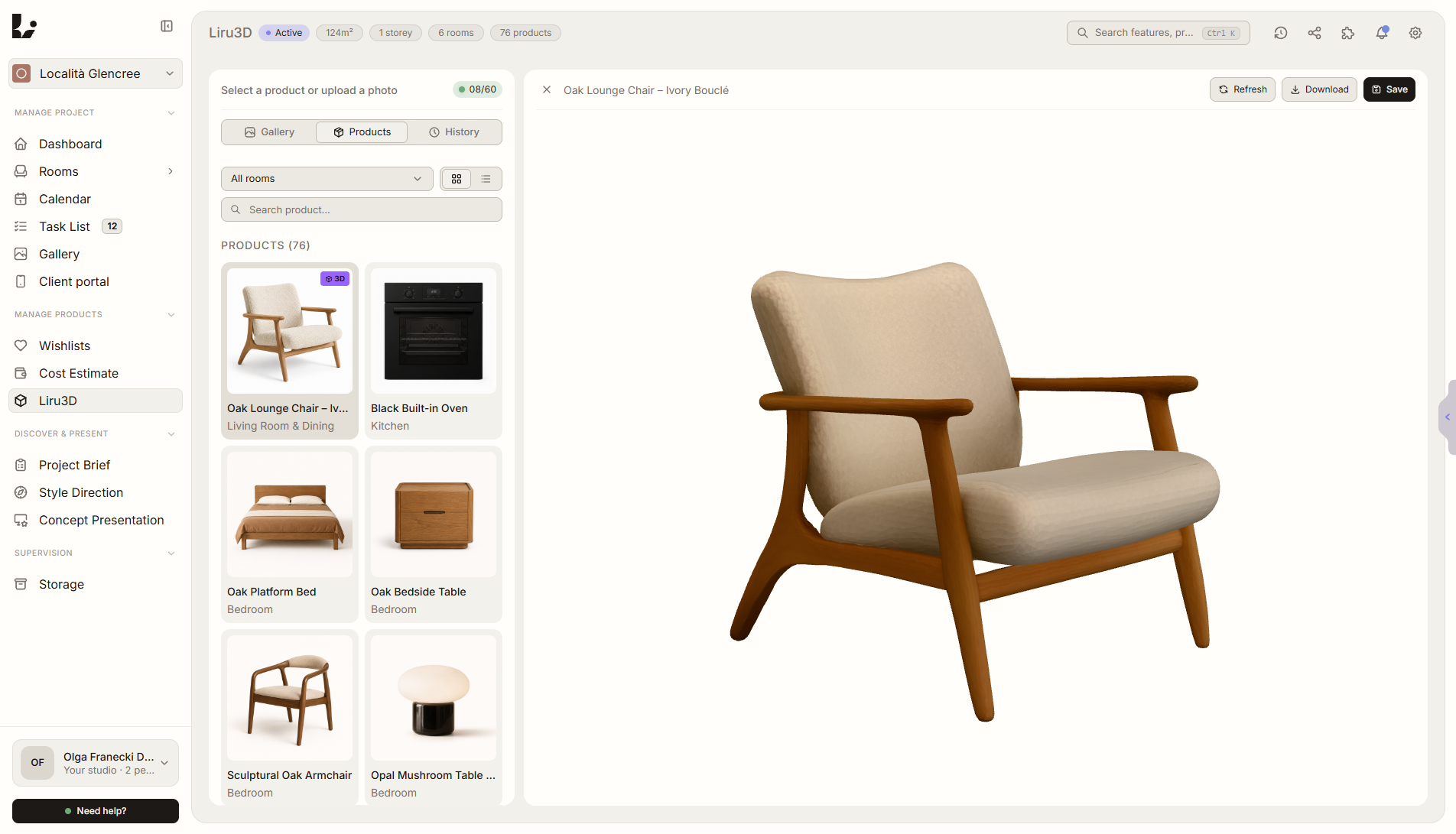
Aperçu de la fonctionnalité
Où elle intervient dans le projet
Ajoute une photo et Liru génère un modèle 3D réaliste prêt pour la visualisation.
Liru relie cette fonctionnalité au reste du workflow: portail client, pièces, décisions, produits, budget et prochaine étape du projet.
Ce que cela apporte en pratique
Comment cela fonctionne, étape par étape
Un modèle 3D à partir d’une photo. En quelques secondes.
Upload a product photo
A single photo is enough.
Liru generates a 3D model
Realistic, with accurate proportions and textures.
Preview and edit
Check the model, adjust if needed.
Ready for visualization
Use in a presentation or share with the client in the portal.
Fonctionnalités liées
Ces modules fonctionnent généralement ensemble dans un projet réel, du brief à l'approbation.
Présentation des visualisations
Visualisations prêtes des pièces, que le client valide ou commente.
Voir la fonctionnalitéPrésentation des produits
Variantes de meubles et de produits que le client choisit et valide.
Voir la fonctionnalitéExtension Chrome
Produit de la boutique directement dans le projet. Sans copier.
Voir la fonctionnalitéStop waiting for models. Generate them yourself.
Choose a plan and start running your project in Liru.
Sign up