Historique des décisions pour architectes d’intérieur
Chaque validation, changement et commentaire enregistrés avec date et contexte.
Sign up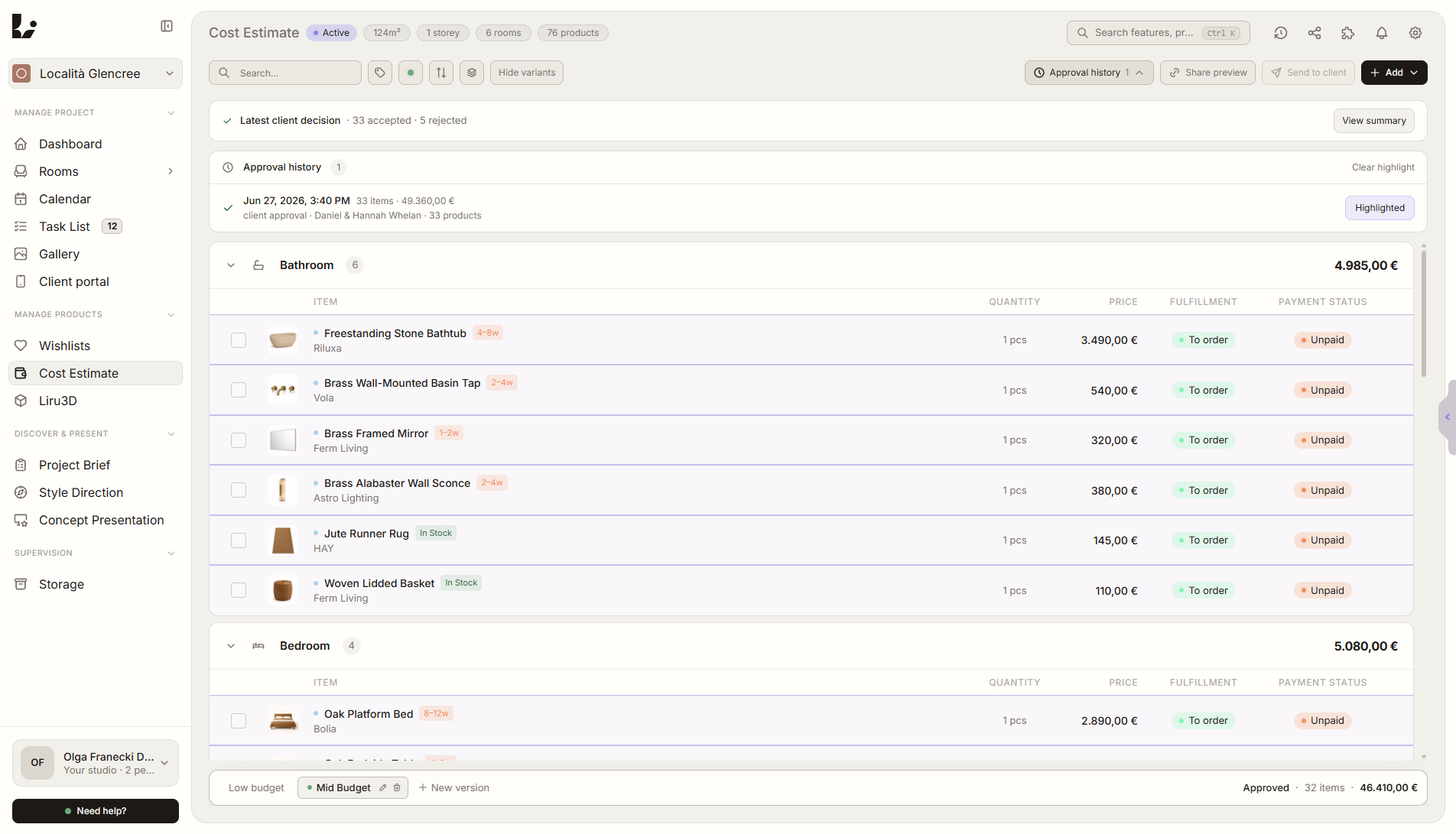
Aperçu de la fonctionnalité
Où elle intervient dans le projet
Conserve validations, refus, changements, commentaires et actions client avec date, auteur et contexte.
Liru relie cette fonctionnalité au reste du workflow: portail client, pièces, décisions, produits, budget et prochaine étape du projet.
Ce que cela apporte en pratique
Comment cela fonctionne, étape par étape
Chaque validation, changement et commentaire enregistrés avec date et contexte.
Client reviews
In the portal, the client approves, rejects, comments, or requests changes.
Liru records the action
Each decision has time, author, and a link to the exact project element.
You check the history
Return to decisions by room, presentation, product, or project stage.
Move forward with confidence
The next steps are based on documented decisions, not memory.
Comment l'utiliser dans Liru
Decision History works in the background while your client uses the portal. When the client approves a visualization, chooses a product, comments on a moodboard, rejects a variant, or requests a change, Liru saves it as part of the project history.
Each entry keeps context: date, author, decision type, and the place it belongs to. This lets you return to agreements without searching through emails, messages, PDFs, or meeting notes.
Decision History also helps the team. Everyone can see what has been approved, what is waiting for a response, and which decisions are the basis for the next project stage.
Fonctionnalités liées
Ces modules fonctionnent généralement ensemble dans un projet réel, du brief à l'approbation.
Portail client
Un endroit où le client voit tout le projet et prend ses décisions. Sans connexion.
Voir la fonctionnalitéRappels automatiques au client
Liru relance le client quand une décision reste trop longtemps en attente dans le portail.
Voir la fonctionnalitéPrésentation des visualisations
Visualisations prêtes des pièces, que le client valide ou commente.
Voir la fonctionnalitéDo not lose agreements after meetings and presentations.
Choose a plan and start running your project in Liru.
Sign up