Detalles del proyecto para interioristas
Requisitos generales del cliente sin Google Forms ni hojas de cálculo.
Sign up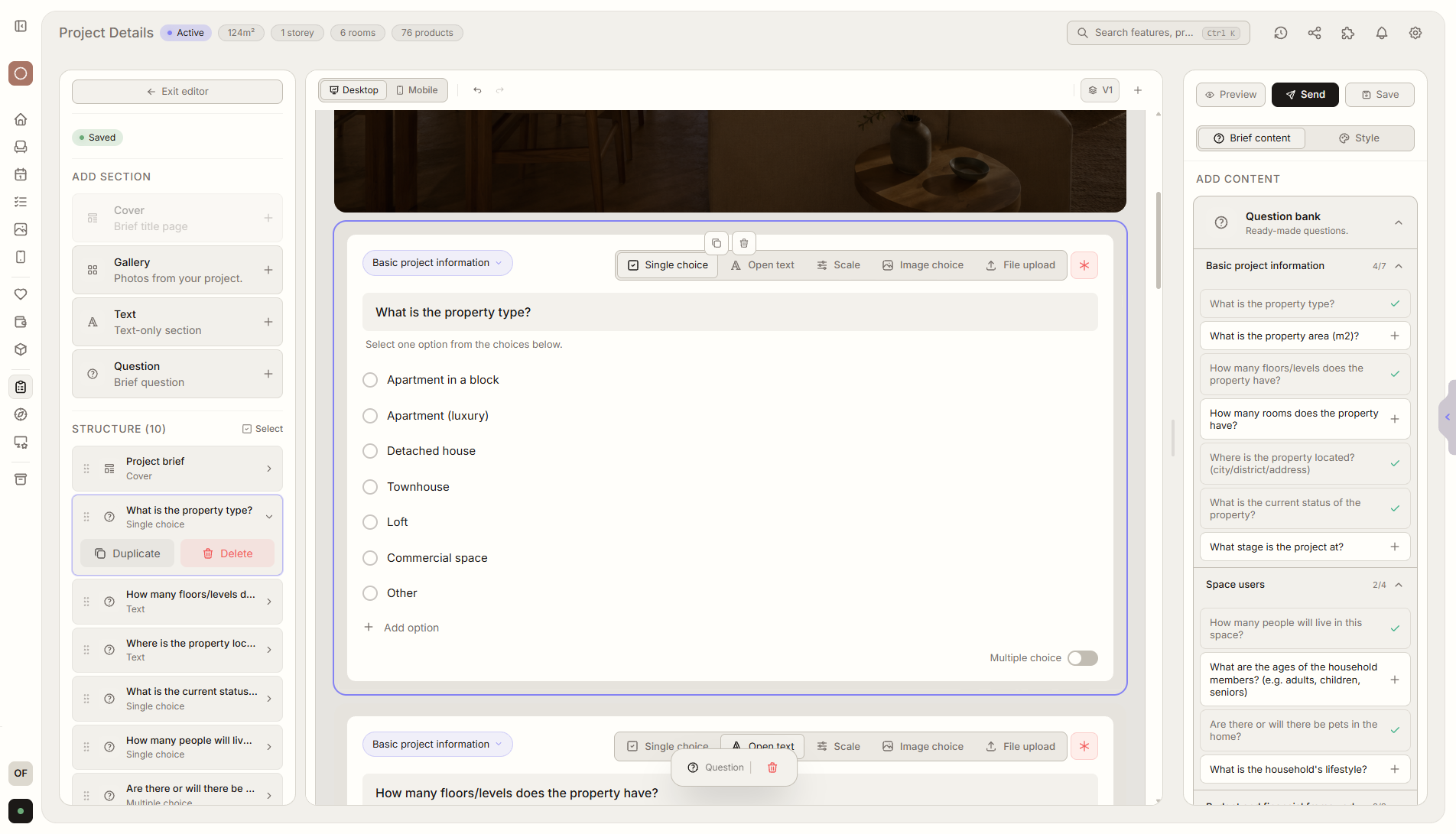
Resumen de función
Dónde encaja en el proyecto
Recoge alcance, presupuesto, fechas, prioridades y expectativas del cliente en un solo brief estructurado.
Liru conecta esta función con el resto del flujo de trabajo: portal del cliente, habitaciones, decisiones, productos, presupuesto y siguiente etapa.
Qué aporta en la práctica
Cómo funciona paso a paso
Requisitos generales del cliente sin Google Forms ni hojas de cálculo.
Create or import a brief
Start from a Liru template or import an existing form, spreadsheet, or file.
Collect project details
Ask about scope, budget, deadlines, priorities, and expectations.
Liru organizes responses
Answers become structured project requirements and next steps.
Reuse the template
Saved brief templates help you understand a new client without starting from scratch.
Cómo usarlo en Liru
The project details brief collects the most important information before design work starts: scope, budget, deadlines, priorities, constraints, decision makers, and client expectations.
You can create it from a Liru template, build your own questionnaire, or import an existing brief from Google Forms, Excel, or another file so you do not rebuild everything from scratch.
The client answers through one link in the portal, with no account or extra tools. Liru saves the answers inside the project, organizes them into requirements, and can use them as context for notes, priorities, and tasks.
Once created, the brief can be saved as a template. In the next similar project, you load it, adjust what changed, and start collecting requirements immediately.
Funciones relacionadas
Estos módulos suelen trabajar juntos cuando llevas un proyecto real desde el brief hasta la aprobación.
Collect project requirements without chaos.
Choose a plan and start running your project in Liru.
Sign up