Portal-Branding für Innenarchitekten
Dein Logo, deine Bilder und die Identität deines Studios.
Starten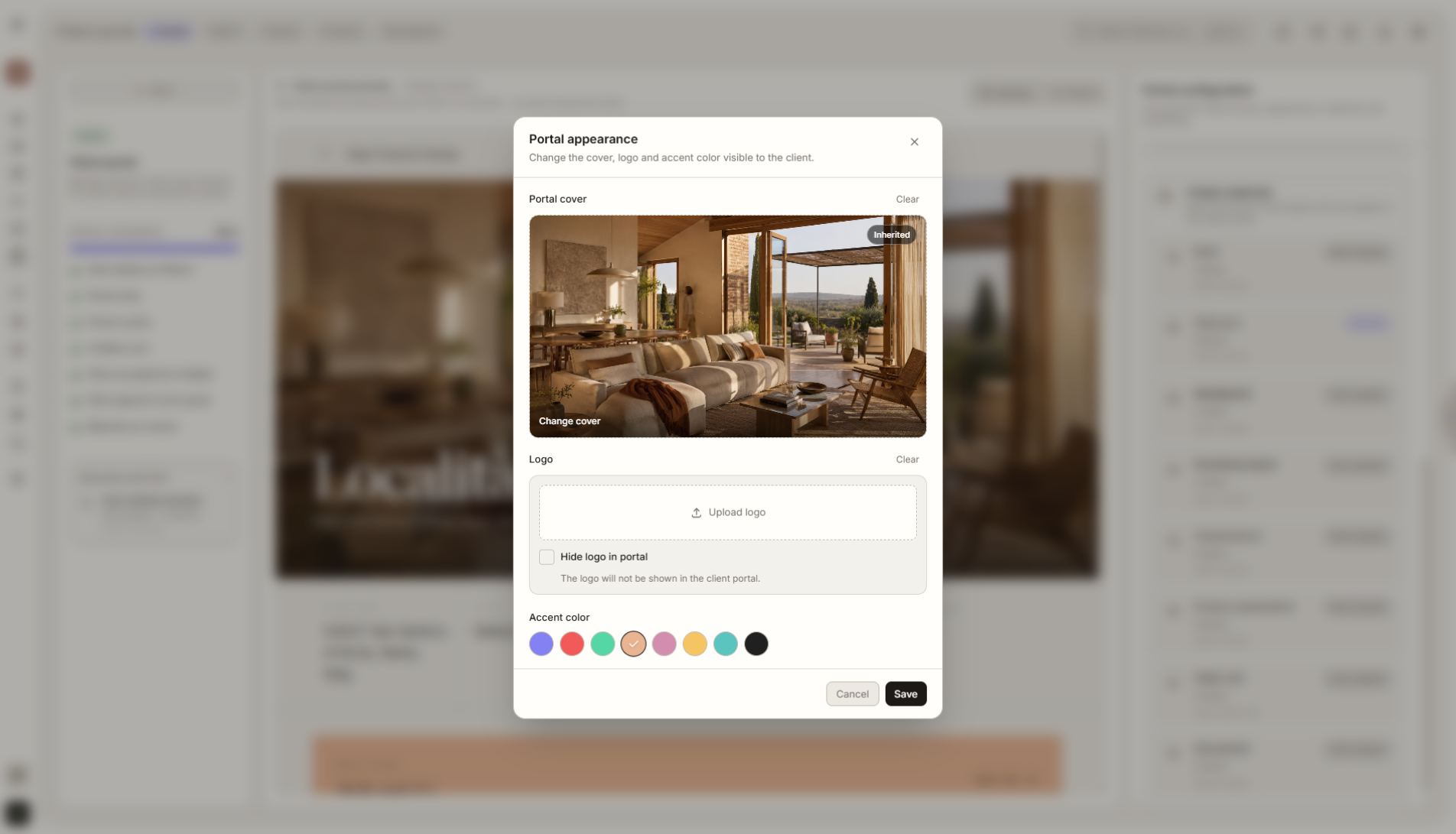
Funktionsüberblick
Wo diese Funktion im Projekt hilft
Mit dem Branding des Kundenportals passt du das Portal an die Identität deines Studios an. Füge Logo, Fotos, Projektvisualisierungen und kundenseitige Details hinzu, damit jedes geteilte Projekt wie ein professionelles Erlebnis deiner Marke wirkt.
Liru verbindet diese Funktion mit dem restlichen Workflow: Kundenportal, Räume, Entscheidungen, Produkte, Budget und nächste Projektphase.
Was du in der Praxis bekommst
So funktioniert es Schritt für Schritt
Dein Logo, deine Bilder und die Identität deines Studios.
Add branding
Upload your logo and set the basic portal identity.
Choose visual materials
Add project photos, covers, or graphics the client will see in the portal.
Publish the portal
The client opens the project through one link and sees it in your studio's visual language.
Reuse the settings
Saved branding settings can be applied quickly in future projects.
So nutzt du es in Liru
Client Portal Branding lets you set the look and basic identity of a project before sending the portal link to the client. You can add your studio logo, graphics, project photos, a cover image, and elements that make the portal feel like part of your brand.
The client does not see a random tool. They see a coherent space prepared by your studio. This matters especially when presentations, budget, products, and decisions are all shared through one link.
Branding settings can be saved and reused across future projects, so you do not have to rebuild the visual setup from scratch every time.
Verwandte Funktionen
Diese Module arbeiten in einem realen Projekt meist zusammen - vom Briefing bis zur Freigabe.
Kundenportal
Ein Ort, an dem der Kunde das gesamte Projekt sieht und Entscheidungen trifft. Ohne Login.
Funktion ansehenVisualisierungspräsentation
Fertige Raumvisualisierungen, die Kunden freigeben oder kommentieren.
Funktion ansehenEntscheidungsverlauf
Jede Freigabe, Änderung und jeder Kommentar wird gespeichert.
Funktion ansehenZeige das Projekt in der visuellen Sprache deines Studios.
Wähle einen Plan und starte dein Projekt in Liru.
Starten