Funktionales Layout für Innenarchitekten
Grundrissvarianten mit Beschreibung, Vorteilen und Grenzen.
Starten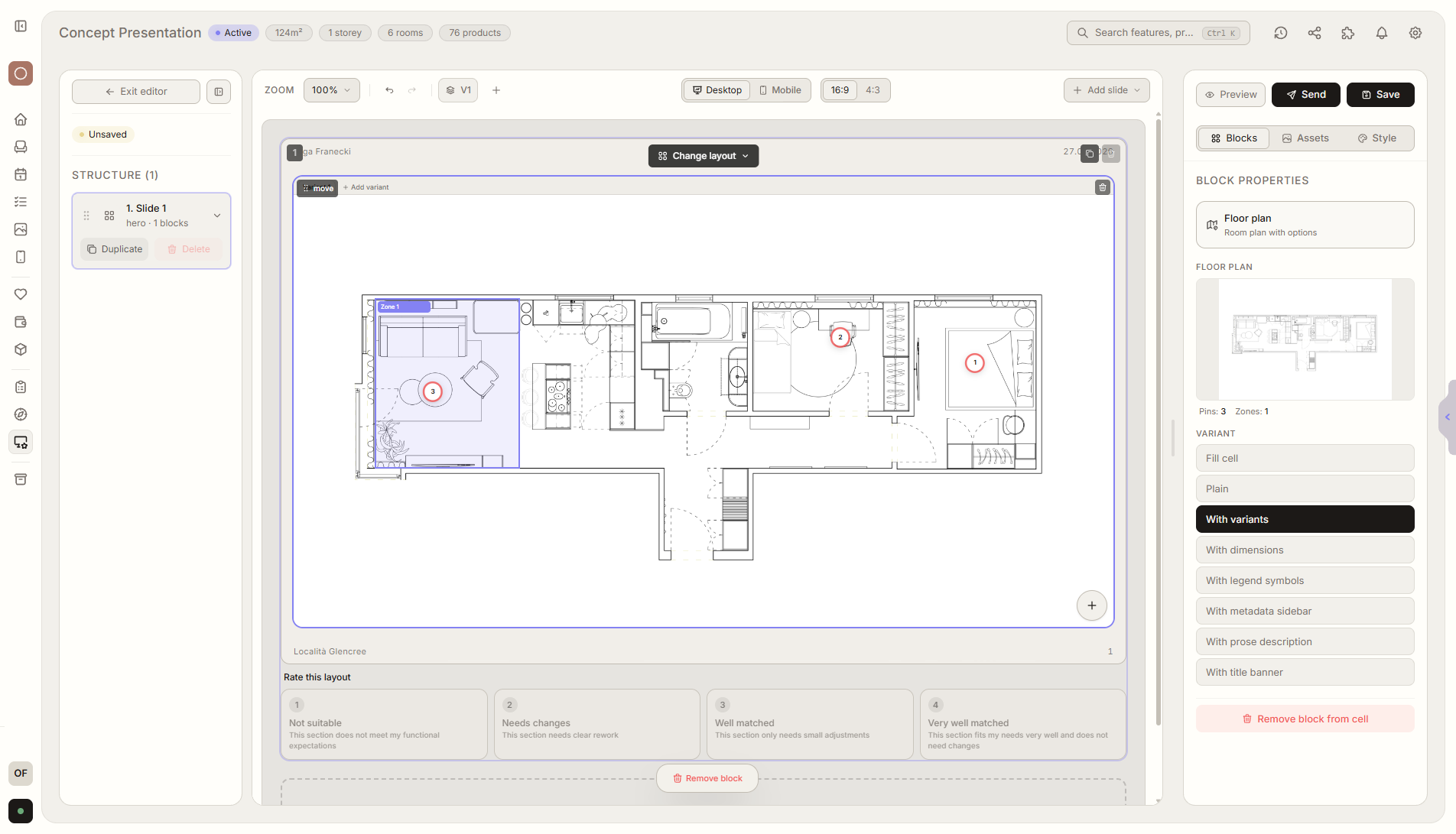
Funktionsüberblick
Wo diese Funktion im Projekt hilft
Mit dem funktionalen Layout zeigst du Kunden Grundrissvarianten mit Beschreibung, Vorteilen und Einschränkungen. Der Kunde bewertet jede Option, kommentiert und wählt die Richtung für den nächsten Schritt.
Liru verbindet diese Funktion mit dem restlichen Workflow: Kundenportal, Räume, Entscheidungen, Produkte, Budget und nächste Projektphase.
Was du in der Praxis bekommst
So funktioniert es Schritt für Schritt
Grundrissvarianten mit Beschreibung, Vorteilen und Grenzen.
Add layout variants
Upload functional layouts or room plans.
Describe strengths and limits
Explain what each variant gives and what trade-offs it has.
Client evaluates
They choose a direction, comment, and compare variants.
Save as a template
Future projects can start from a ready structure for variants, descriptions, and evaluation.
Verwandte Funktionen
Diese Module arbeiten in einem realen Projekt meist zusammen - vom Briefing bis zur Freigabe.
Visualisierungspräsentation
Fertige Raumvisualisierungen, die Kunden freigeben oder kommentieren.
Funktion ansehenProduktpräsentation
Möbel- und Produktvarianten, die Kunden wählen und freigeben.
Funktion ansehenEntscheidungsverlauf
Jede Freigabe, Änderung und jeder Kommentar wird gespeichert.
Funktion ansehenZeige Layouts so, dass der Kunde wirklich entscheiden kann.
Wähle einen Plan und starte dein Projekt in Liru.
Starten